Read about the latest features and improvements in the Stratsys Platform and how they can help you improve your work and to get even more value.
Platform News
AI Summary of Connected objects
This development is included in AI license.
Today, many users spend a large part of their time reporting and summarizing content, where there are often large amounts of information that form the basis. Now we have released an AI feature in the Follow-up window that provides a summary based on connected objects to e.g. the goal you are following up.
The feature takes your instructions and comment templates into account and provides a concise summary that prioritizes the most important things: status, numbers and relevant comments. The result is a faster and more consistent analysis process, with more time for the work that actually creates value.
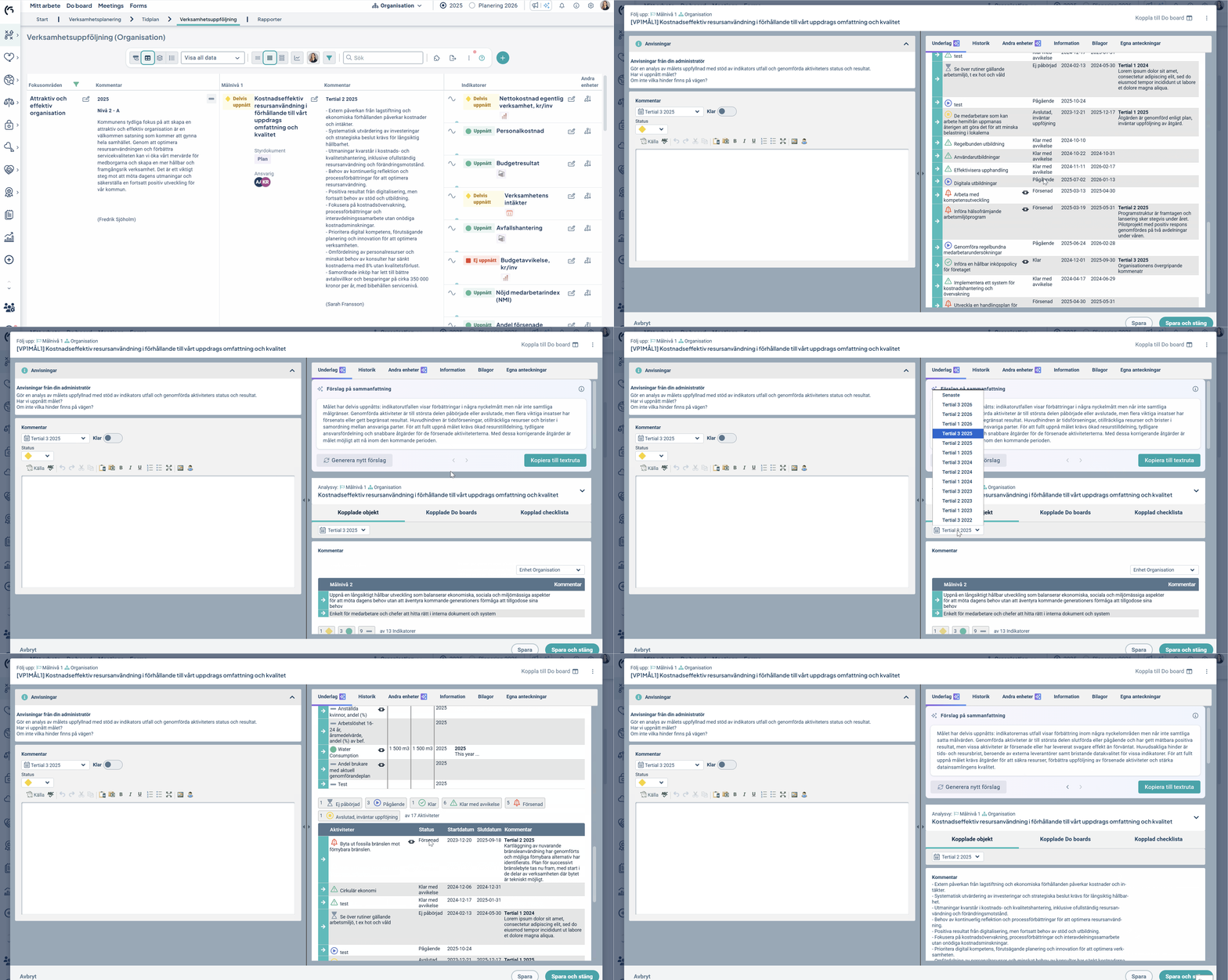
The example image shows a target to be monitored, but it works just as well if it is a risk, process, KPI or any other item you are working on.
If you are already using our previous summary feature (which compiles Follow-up comments from other departments), this summary is immediately available. If not, read our manual on how to activate it.
New Capabilities in the Stratsys Assistant
This development is included in AI license.
The Stratsys Assistant has been developed to help you even further into your workflows. By analyzing the data displayed in the Workspace you're in - as well as uploaded documents - the Assistant can now provide context-specific insights, answer more advanced questions than before and help you create objects directly in the Platform. We use so-called AI agents to enable this support.
Examples of what the Assistant can support:
- Identify risks with specific levels in the workspace
- Highlighting areas that lack risk assessment or reporting
- Provide guidance on work related to legal requirements and frameworks
- Analyze uploaded documents and suggest risks, objectives or activities
- Create objects based on the analysis of the workspace data or a document
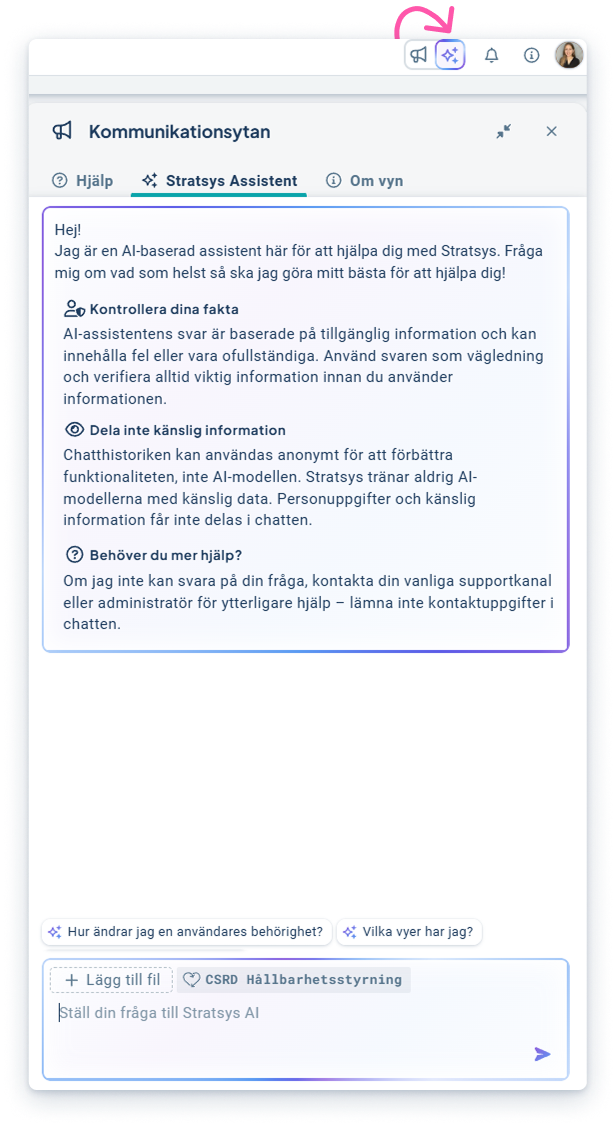
This means more proactive and action-oriented support - right where you work.
We would love to hear your feedback on what you find useful and would like more help with going forward!
For the Assistant to be able to read information in the Workspace, you need to activate it in the New AI Administration. There you can also control whether it should create information, or only read what's available. Read more about how in our manual.
Adjustments in Permissions when using User Sync
We are now releasing an updated interface for assigning permissions in Stratsys when using User Sync to ensure you get the most value.
- Correctly updated user credentials
- Increased flexibility in Permission Assignment
- Increased stability in the User Sync
Related to this, we have also changed so that it is no longer possible to disable the "Managed by external user directory" setting, since the User Sync stops updating user information when the setting is disabled. This in turn can affect permissions, name changes, user removal and anonymization.
Instead, it will always be active. Having the setting constantly active ensures that the User Sync works as expected and that your user information is always correct.
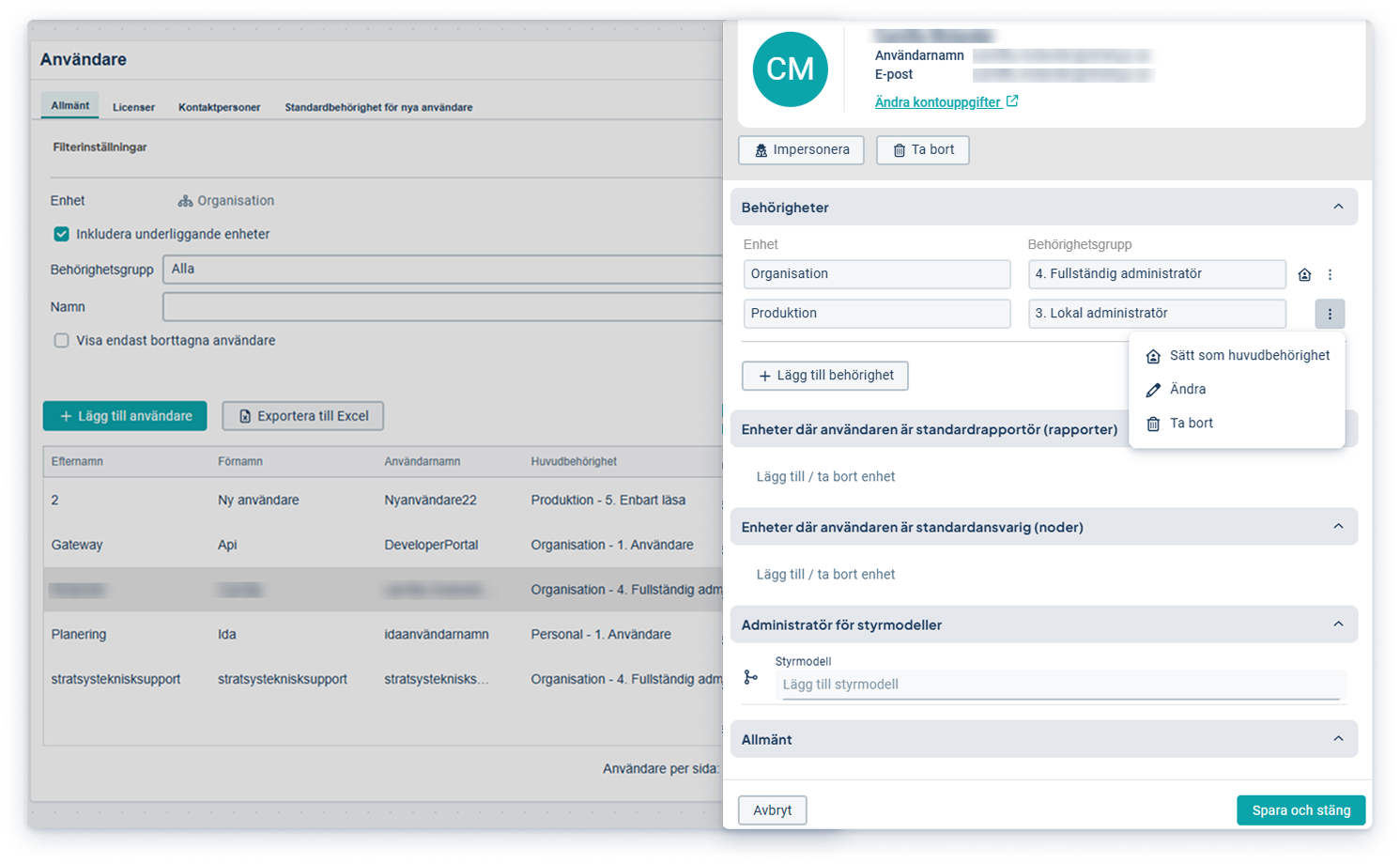
To allow you to simultaneously assign new permissions to users, even when User Sync is active, it's now possible to set the main permission on a different row, giving you greater flexibility without compromising the User Sync.
Improved Import of Measurement Data
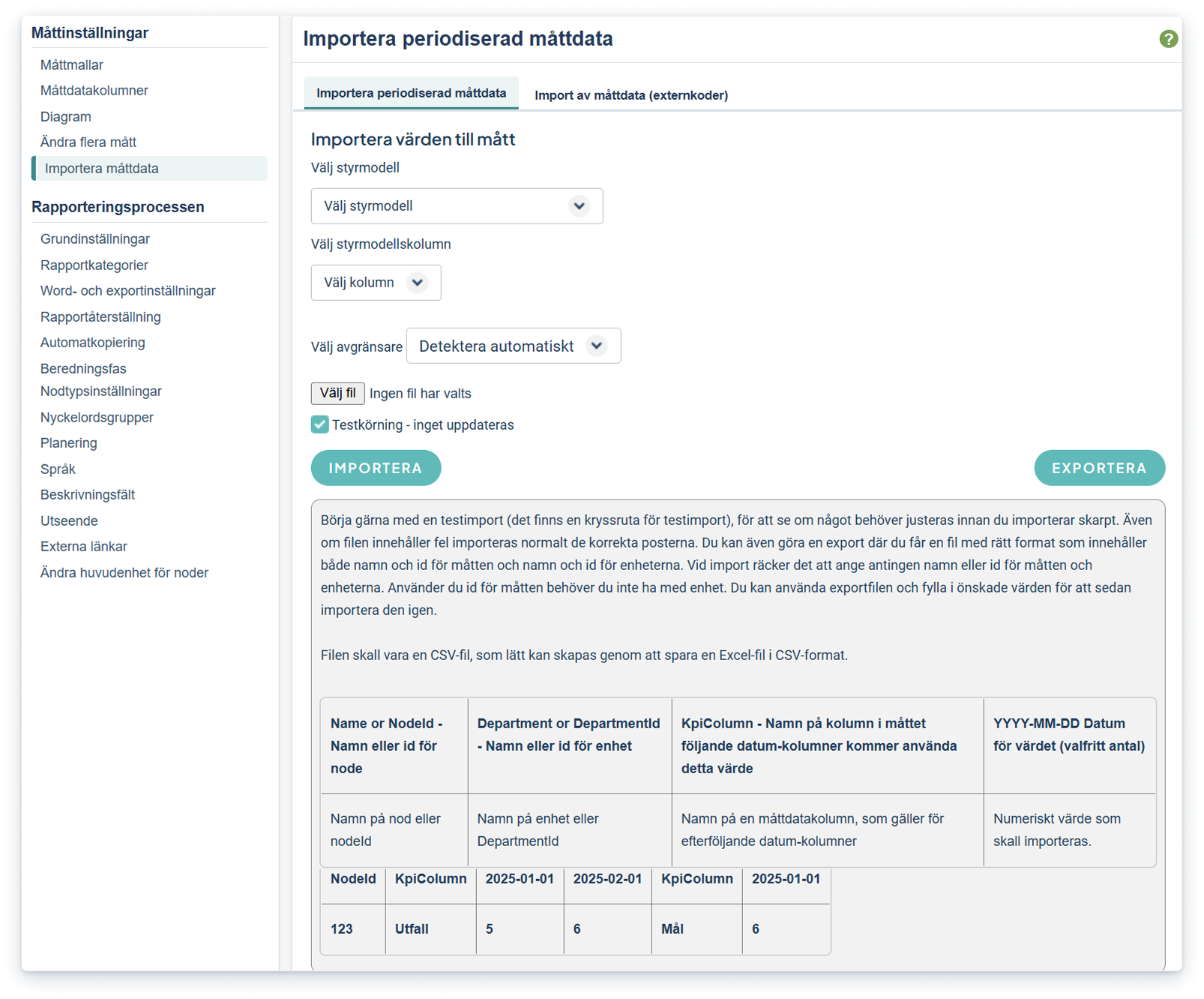
We have now released a new and simpler way to import measurement data. Previously, external codes had to be used to be able to import measurement data, even in cases where an integration is not used. Now there is a simpler import where you can choose between using object name, department name or column name instead. The import makes it easier especially in cases where you have several key figures with different periodicities.
- Reduced Administration: External codes are no longer needed to easily import large amounts of key figure data.
- Increased Flexibility and Efficiency: Choose between object, department or column name for a smooth data import.
- Efficient handling of different report frequencies: Particularly useful when importing KPI data when KPI's differ in periodicities.
Do-board: Updated Card / Task Design
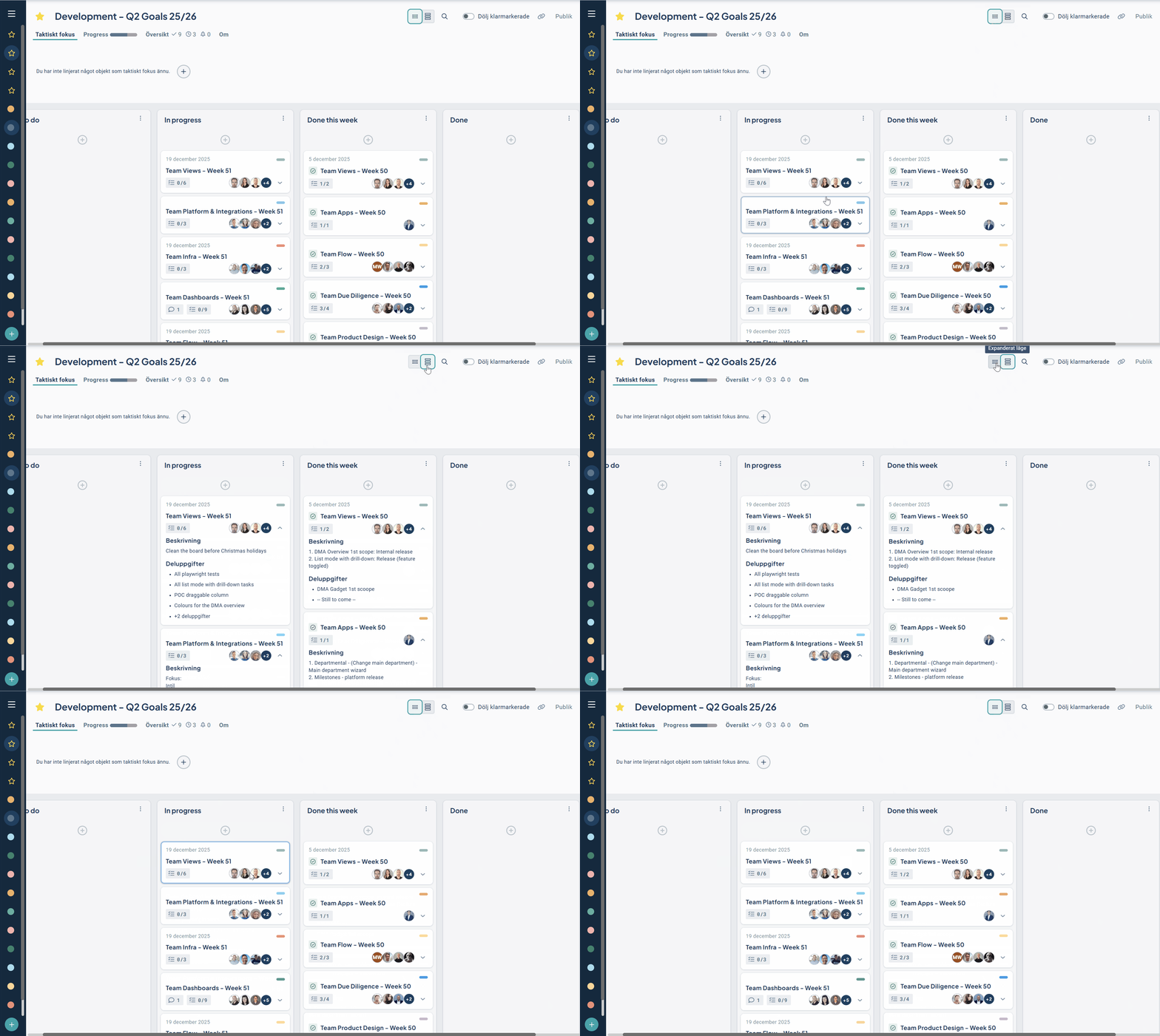
The Do-board has been given an updated Design. This means that the tasks in the Do-board now follow the same pattern as objects in the Workspace, making it easier for users to recognize and interpret information. At the top there are new size toggles which users can use in order to choose the amount of information to view, depending on whether focus is on board overview or to dive into more details and information.
- Updated and unified design: the cards follow the same pattern as objects in the Workspace, with details providing an overview of the object's status.
- Improved user experience: Coherent design makes it easier for users to interpret status and information
- Size toggles for compact/spacious: User can easily choose the amount of information to look at
New Workspace and Object Drawer
This development is included in product license.
Here we communicate the major news and improvements that are continuously added to the Workspace and Object Drawer. The features are available in all products. Contact your Account Manager to get started!
List Mode with Object Drill-down
To be released in January.
Soon we'll release List Mode - a new visualization mode for Focus and Overview of details. By focusing on one column at a time (e.g. key figures or risks), you get a better focus and overview of relevant details and possibility to see underlying departments' data for consolidated objects.
- Focus on relevant object details: Gain focus by overviewing all objects in a specific column, e.g. all risks or key figures.
- Overview and Comparison: Overview the status of a selected KPI with drill-down into an object's underlying data and compare KPIs or risks more efficiently by expanding multiple objects.
- Ease of use and consistency: List mode follows the same pattern as other visualization modes where Object Properties provide an initial overview of status, and where drill-down shows the same information per Object Type in a consistent way across the Platform, simplifying work, improving navigation and reducing the need for administration.
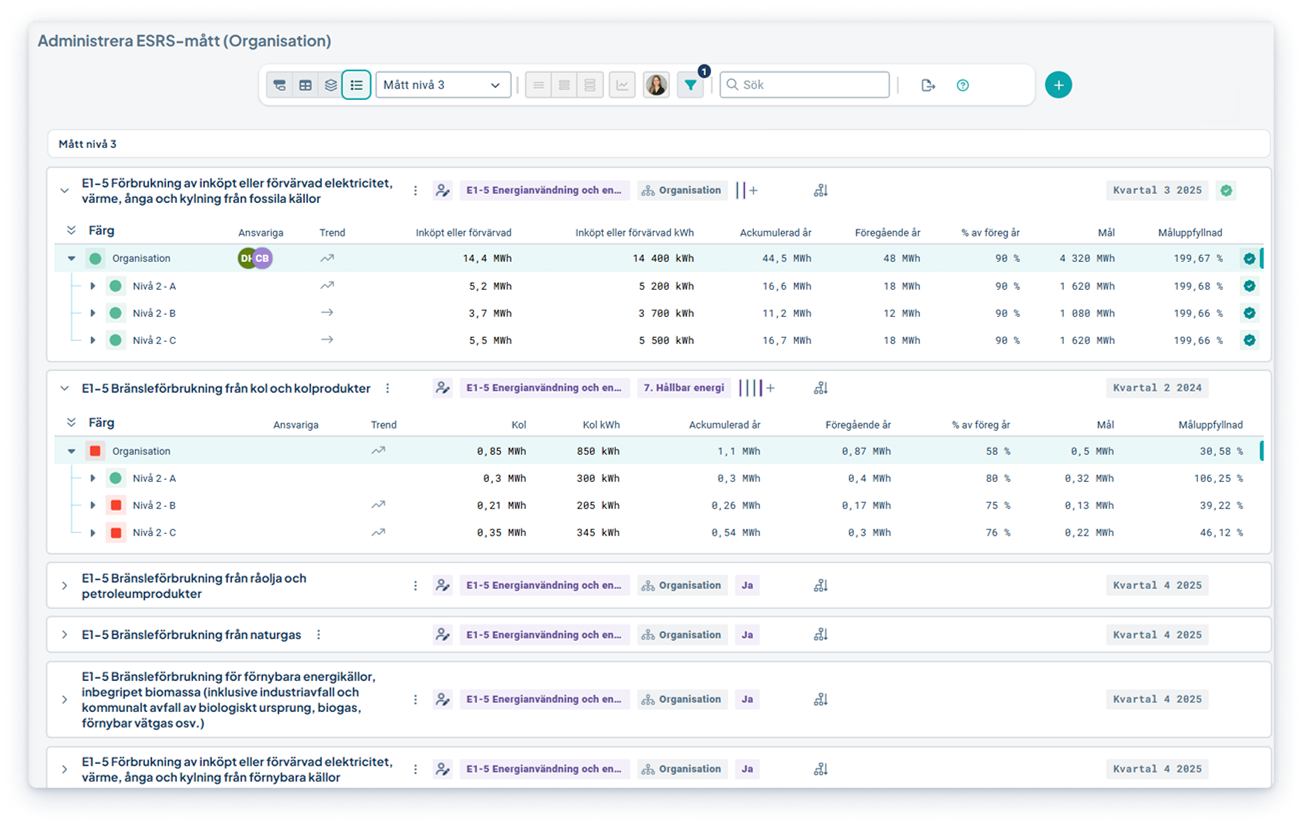
The first version covers KPI & Risk Objects. Activities will be released in the near future.
Uniform Property to visualize Object Connections
The Workspace now has full support for the "Connections" property as the previously separate "Connection tree" property is now included in "Connections". There you can now easily choose from several different ways to visualize how objects are connected.
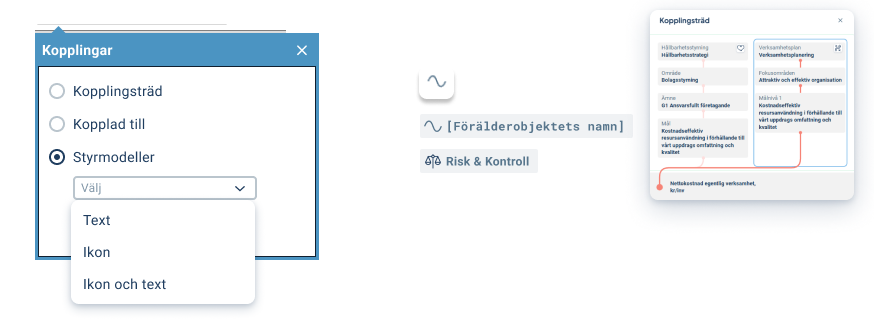
Choose to show all connections (connection tree), which model an object belongs to (scorecard model) or the closest connected object in the product you are in (Connected to).
Better progress with Milestones in the Object Drawer
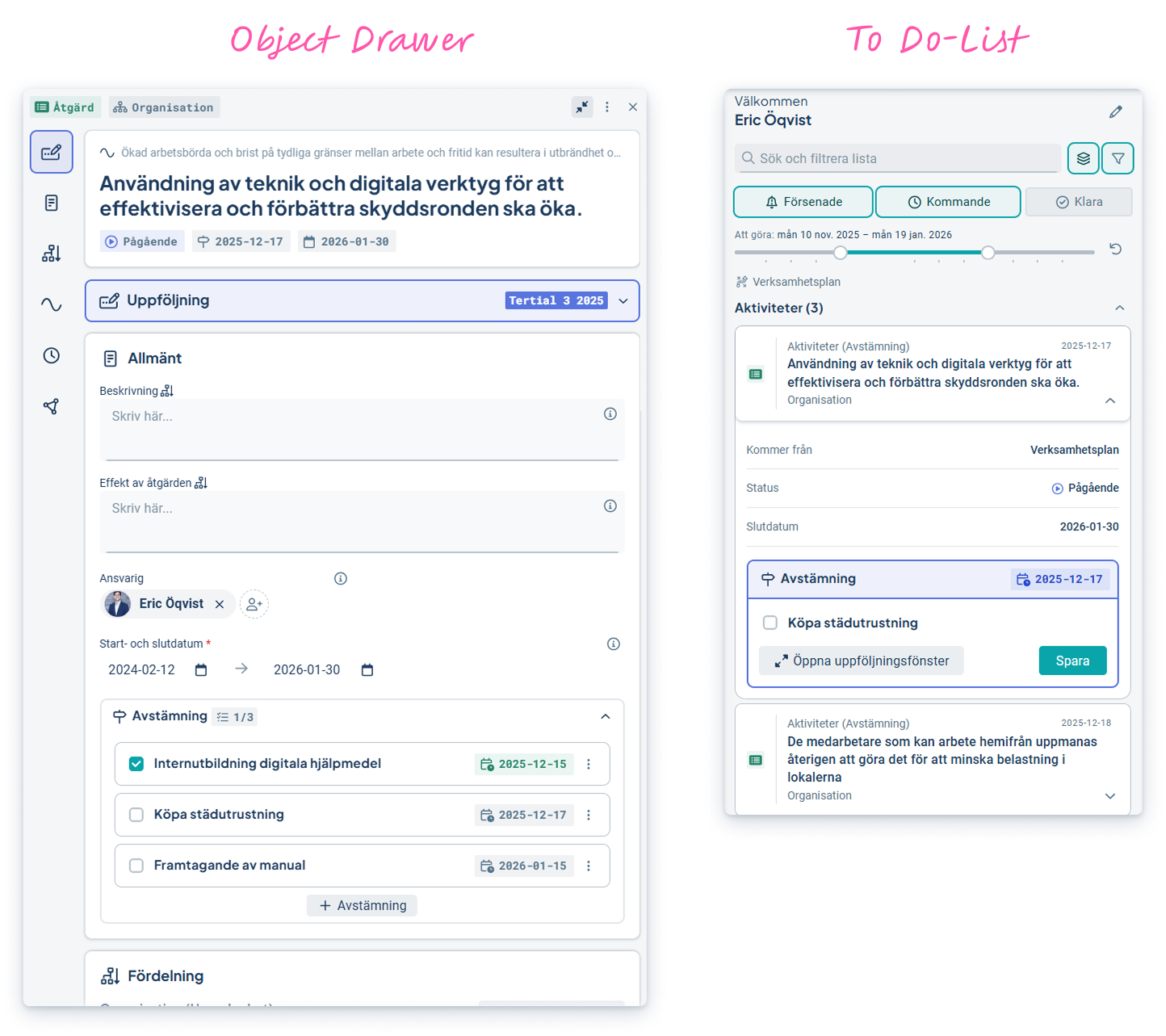
Milestones (previously Reconciliation Dates) are now part of the Object Drawer. This feature allows you to create, manage and track tasks or milestones to drive work forward directly in the activity or action. Existing reconciliation dates are automatically transferred and displayed in the new interface.
- Create progress - Plan activities and actions with a focus on what needs to be done to reach the goal.
- Better overview - Milestones are displayed together in the activity, for example, and appear as separate cards in the To-do List and generate reminders.
- Seamless transition - Previous Reconciliation Dates created in the Classic Edit Window are automatically included.
Copy from previous Period - now across the Platform
The "Copy from previous period" feature allows you to quickly and easily reuse reporting from previous periods in the Quick Follow-up. Originally developed for Sustainability Management, it is now available for all products in the platform. This facilitates work when assessments or responses have not changed between monitoring periods. For example, re-using Risk Assessments when the risk level has not changed.
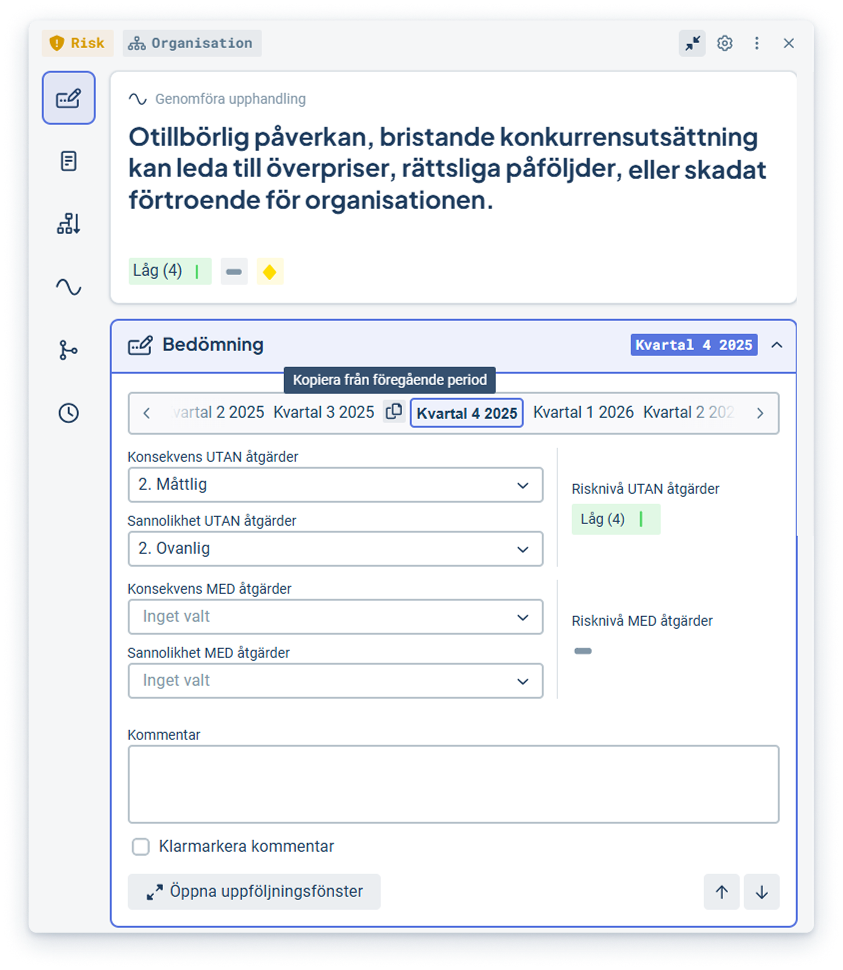
This feature is only available for measurements and risks and has some limitations depending on the configuration.
Dashboards and Gadgets
Possibility to visualize data per Object
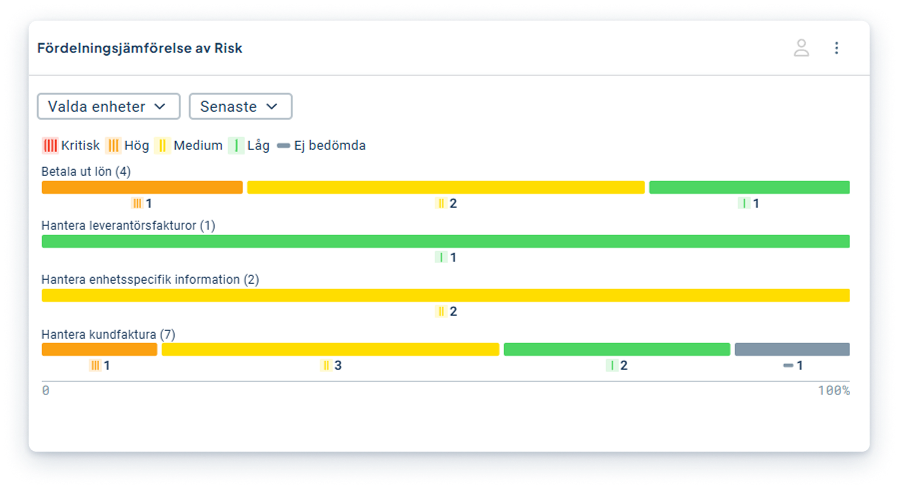
You can already use the "Distribution comparison" gadget to easily compare how different data is distributed between different departments, such as business areas. Now we have expanded support for grouping options where you can now choose to group data based on connection to different objects. This enables effective comparison of, for example, risk distribution between processes or sub-processes.