Read about the new features and improvements added to the Stratsys platform over the past month and how they can help you improve your work and get even more value out of it.
Platform News
Login—Option to Control Login Method by Database*
For Enterprise users, you can now control login settings per database by selecting which configurations are allowed for each database in the platform administration. This means, for example, that production databases can have stricter requirements than test and training databases. For example, SSO may be required in production, but passwords may be used in a test environment. This update also makes it possible to set up multiple SSO configurations (SAML 2.0, OIDC, or Microsoft Entra ID) for different databases. If no database-specific configuration is selected, the login rules set for the customer’s entire environment apply.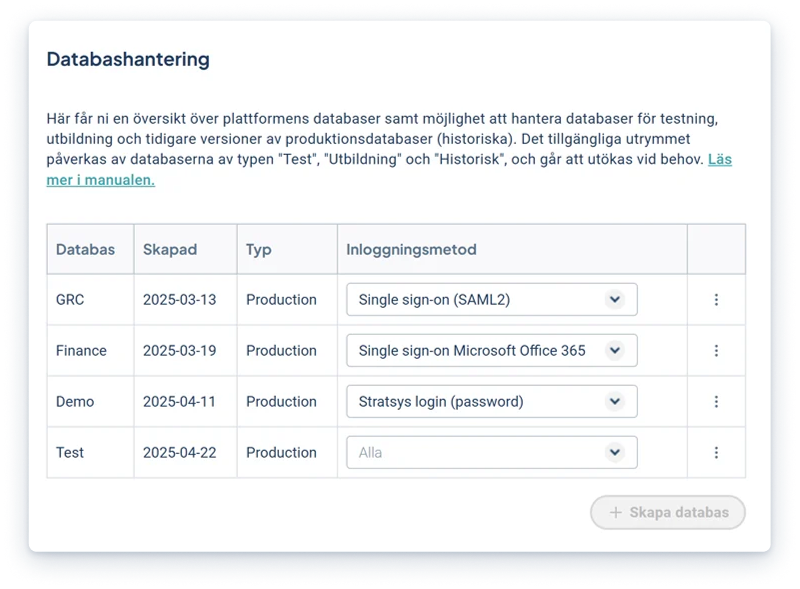
Activation: Which database should use which login method is configured in “Database Management” in the platform administration. The available login methods are configured in “Login Methods.”
*This feature is included in Enterprise. Requirements for multi-factor authentication and conditional access are managed in the customer’s identity service.
Measurement templates—New Administration and Simpler Management
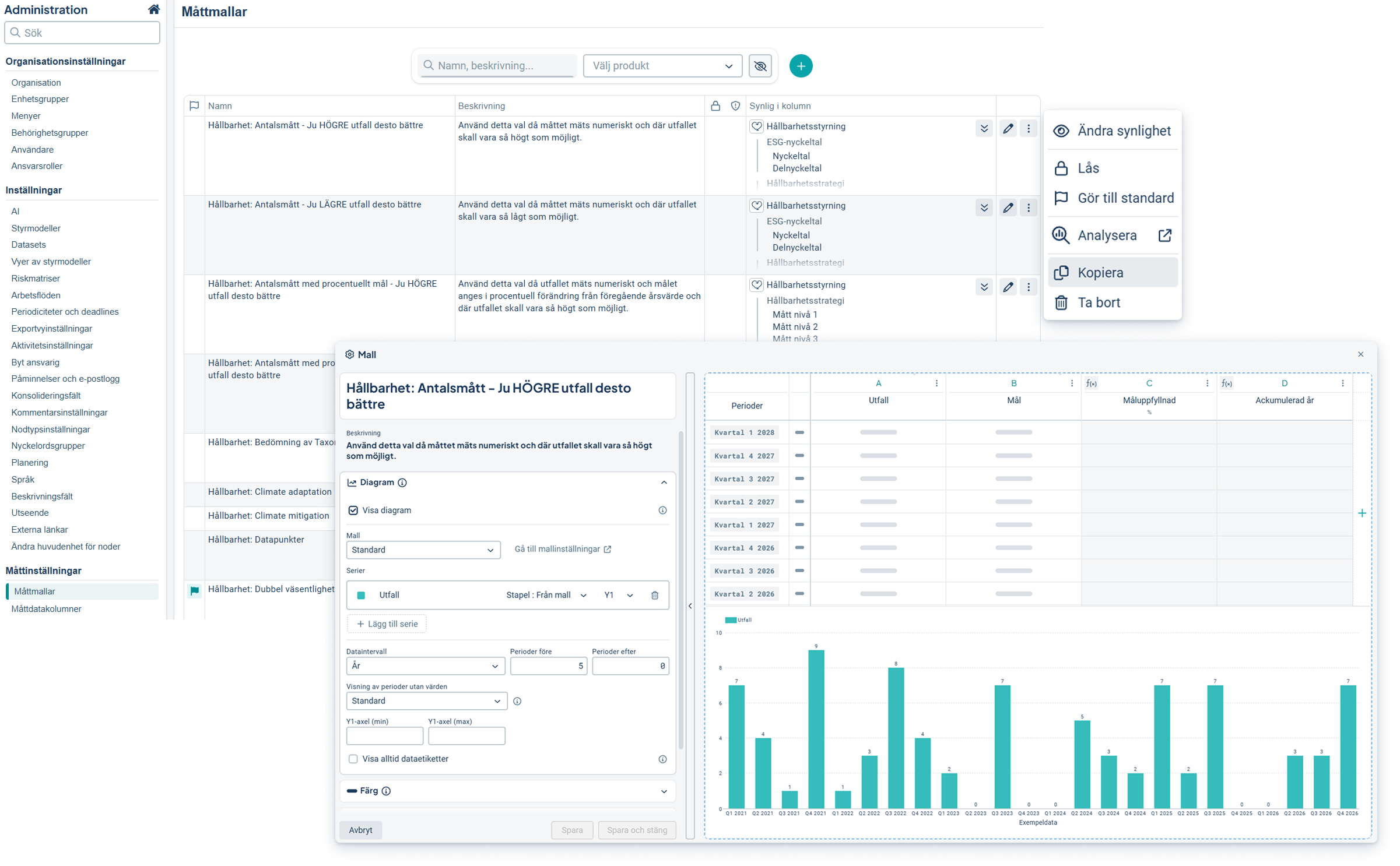
Measurement template administration now features a new, unified interface. Full administrators can now more easily create, edit, and manage measurement templates across the platform’s products. The new layout resembles the measurement settings, which simplifies setup and configuration. In addition, we’ve made it easier to find and reuse templates.
- A clearer overview of measurement templates and where they are used
- Find and reuse measurement templates faster with search and filter functions
- Create measurements templates based on existing KPI's
Tips on new smart tools
- Copy an existing measurement template
- Create a measurement template directly from, for example, an indicator
- Filter to display all unused measurement templates, then clear the ones that aren’t used
Activation: No activation required. This feature is available to full administrators.
Reports—Better Product Overview
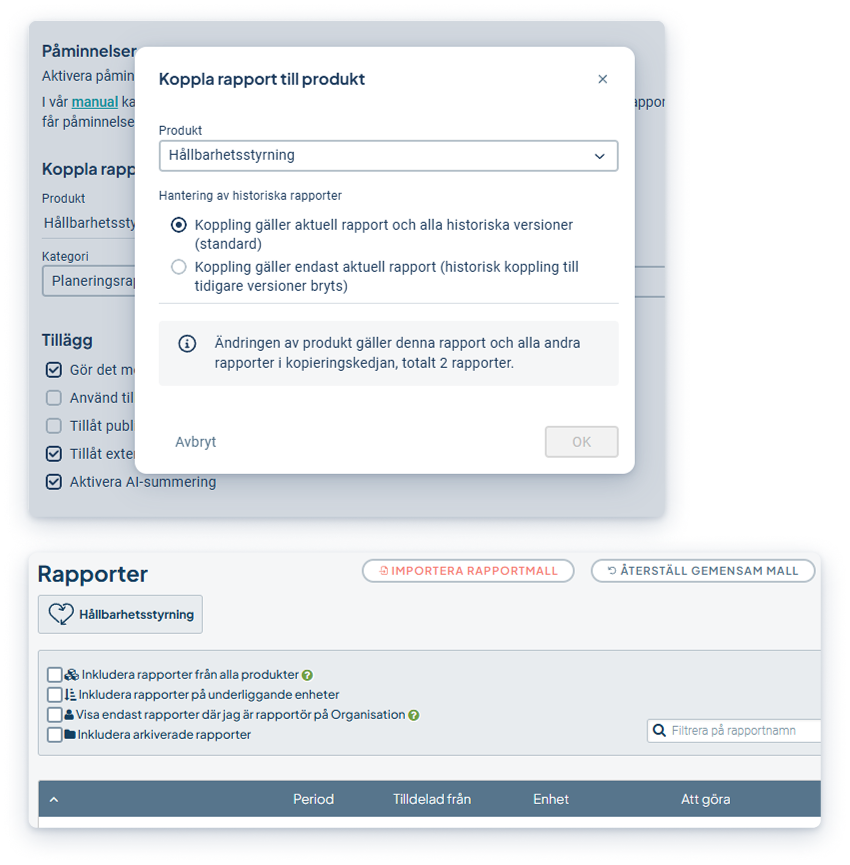
Product-specific reports are now managed more clearly and efficiently. You can now see which product you’re working in directly on the report page. Full administrators can also view all reports they have access to in a consolidated view. When a report is copied to another product, you can choose to move only the current report and future copies, without changing previous versions.
- Get a clearer overview of which product each report page belongs to
- Find relevant reports faster, even when they’re in different products
- Reuse report templates across products without affecting the report history
Activation: This feature is available automatically and requires no activation.
New workspace and Object drawer
This update is included in the product license.
Here, we share the major updates and improvements that are continuously being added to the workspace and object drawer. These features are available in all products. Contact your account manager to get started!
Workflows—ability to condition based on risk value
To clarify workflows in products that deal with risks, we launched the first version of “Workflows” this past summer. These workflows are designed to guide responsible users to the next step—for example, creating an action or control when required in accordance with their process.
We have now expanded the conditions for these workflows so that they can also be triggered based on risk value. This allows users to be prompted to create controls or actions when a specific risk value is reached.
- Clear guidance on the next step when a risk needs to be addressed.
- New condition for risk value when the workflow is to be triggered
- Support for the “measurement” object type, which opens up more possibilities in the products
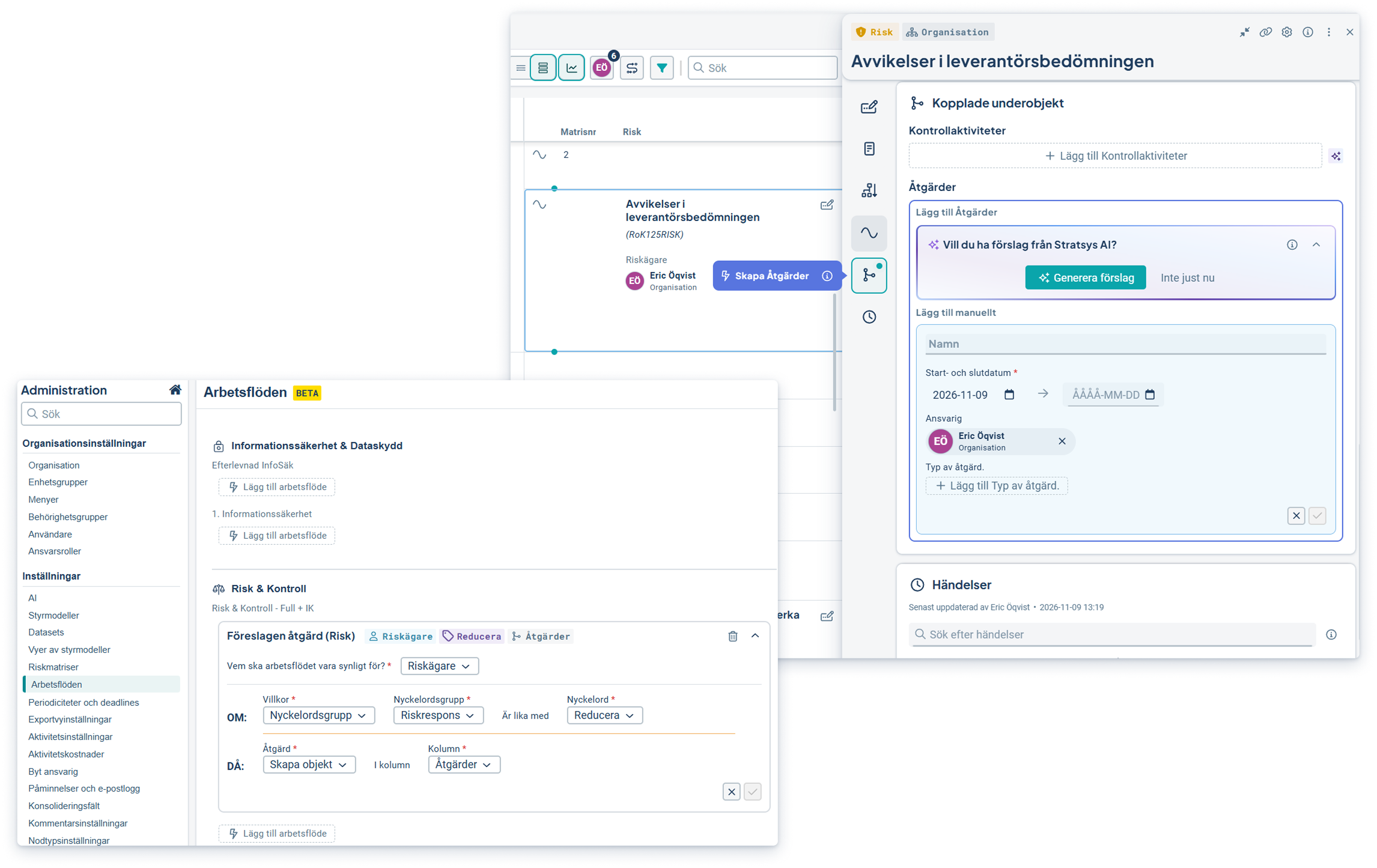
Activation: Enable the feature under Administration > Workflows. Create a workflow for risks or KPI's and select a responsibility role and condition. For risks, the condition can be based on a keyword or a specified risk value.
Forms
This feature is included in the product license.
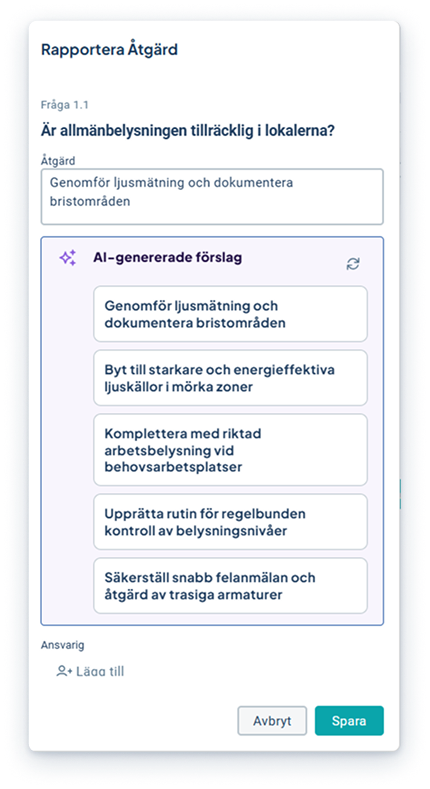
AI Suggestions for Risks and Actions When Answering Questions
The suggestions are based on the question, your answer, and other information in the checklist. You always decide for yourself whether to use a suggestion, and before saving, you can always review, edit, and add to it.
Due Diligence
This feature is included in the Due Diligence product license.
Screening – Enhanced Risk Identification with AI and Adverse Media
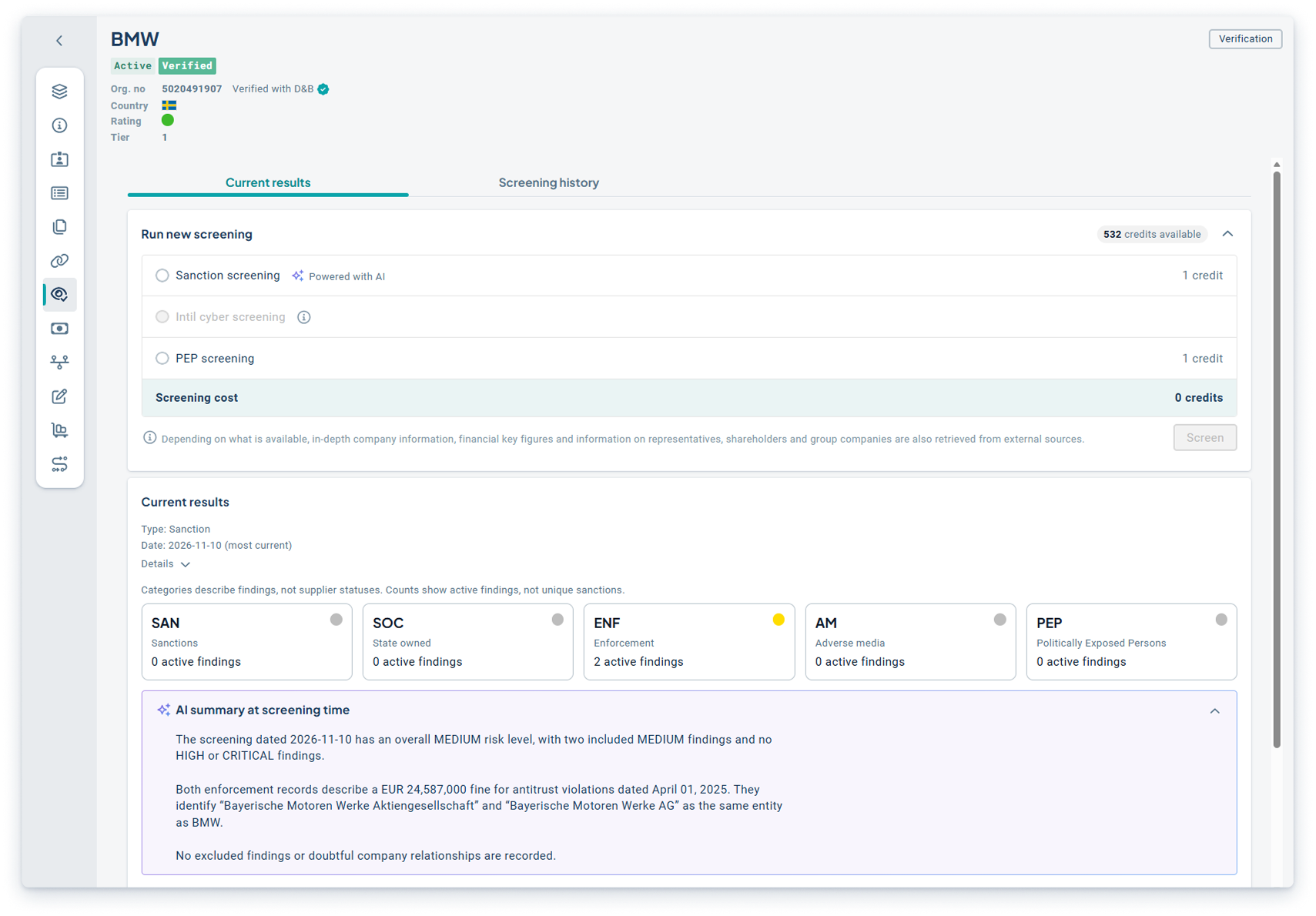
This past summer, we launched the first version of our next-generation AI-powered screening tool, which helps you identify relevant risks earlier and thereby streamline your due diligence process. With Adverse Media screening, you can also review suppliers against open sources and news feeds to detect potential risks related to, for example, corruption, fraud, human rights, or other negative publicity.
Since the launch, we’ve made several improvements. The AI-powered screening is now more accurate, and each supplier receives a summary, providing a better basis for evaluating search results. The interface has also been improved so that screening results and risk levels are easier to overview and understand. We’ve also enhanced the PEP search so that you can search by board of directors, if you’ve added this type of information.
Benefits
- Find more relevant screening results with the help of AI
- Identify more potential risks by reviewing suppliers using Adverse Media
- Assess potential risks more easily through deeper searches and better supporting data
Activation: To use the AI functionality in the screening, your organization must have enabled AI for Due Diligence in the platform’s AI administration and accepted Stratsys’ AI terms and conditions.