Read about the latest features and improvements in the Stratsys platform and how they can help you improve your work and get even more value.
Platform News
New workspace and Object drawer
This development is included in product license.
Here we communicate the major news and improvements that are continuously added to the workspace and object drawer. The features are available in all products. Contact your Account Manager to get started!
Filters - save and reuse your favorite filters
You can now save your most commonly used filters as favorites, making it efficient to find the information you need.
- Quick access to important information by saving personalized filters
- Clear visual indication when a filtering is active
- The filter behaves like other filters and therefore remains in place if you temporarily navigate away from the surface
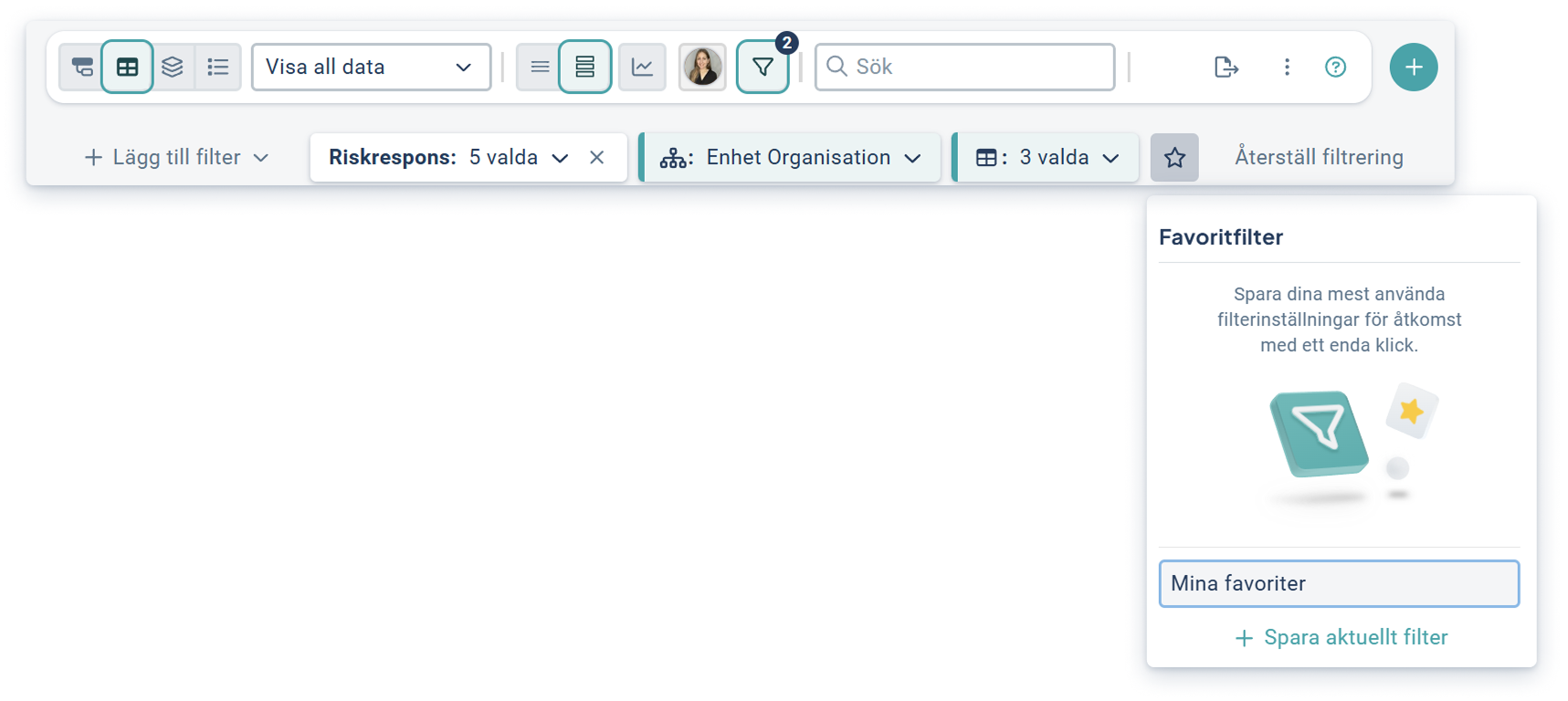
Activation: The update is automatically available to all users. First, create a personal filtering in the workspace, which you then name and save as a favorite.
DMA: interact with the overview to see more details
Recently we launched a new DMA Overview where we now release an enhancement that allows you to interact with the overview. By hovering or clicking on a sub-topic, you can more effectively see more information on, for example, key topics, without having to search the table.
- See relevant information at a glance, so you can understand the content more easily
- Get quick access to details in the object drawer by clicking directly in the visualization
- Easily navigate between objects in the visualization using both mouse and keyboard
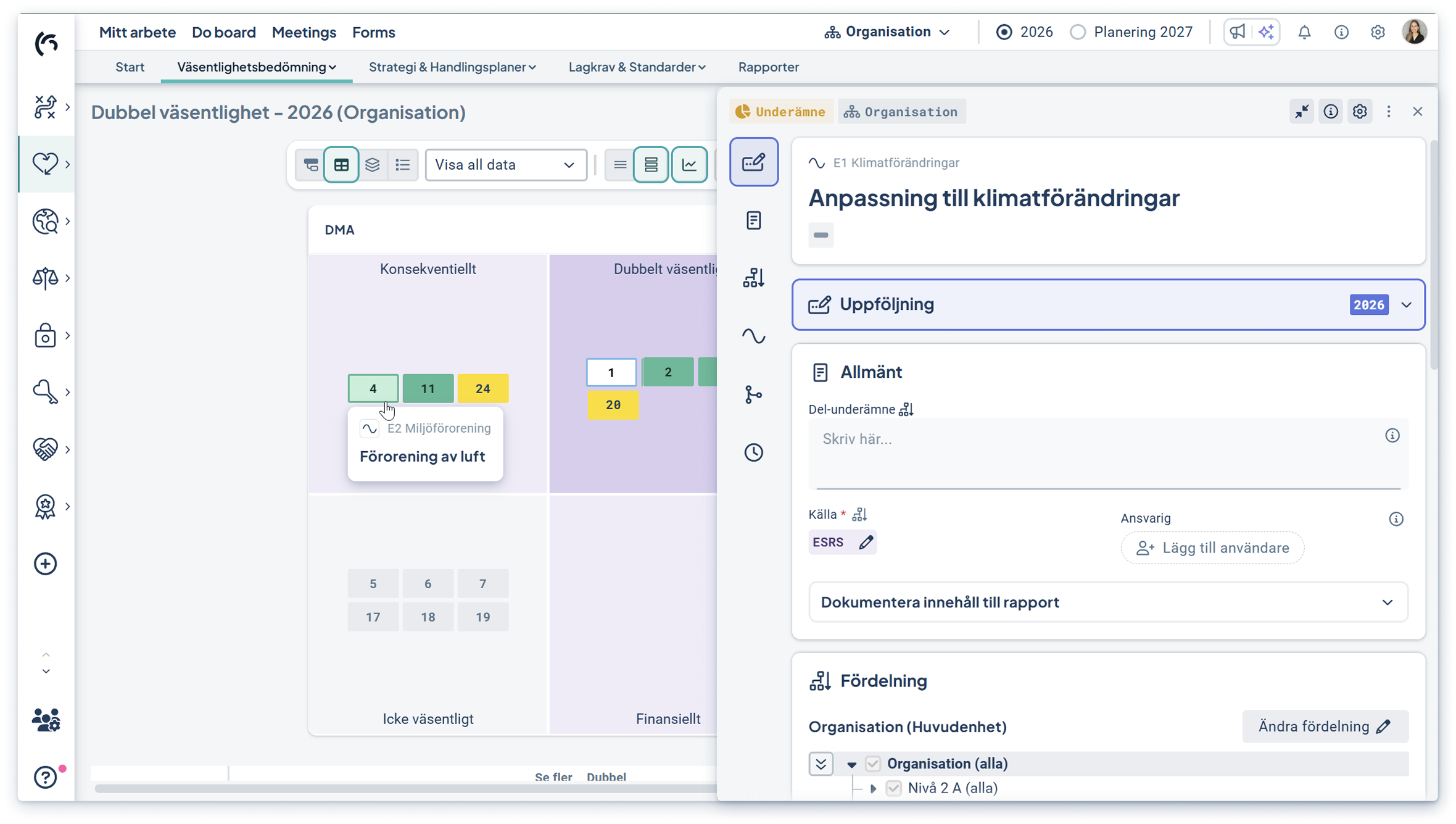
Activation: The update is automatically available in the DMA overview and requires no configuration.
Easier to customize deadlines for objects
It is now possible to adjust deadlines for individual measurements and risks directly in the object drawer. This feature makes it easier to adapt the follow-up to actual business needs and timeframes. You can find the setting in the measurement settings.
- Adapt monitoring to real-life conditions without changing overall periods
- Work more flexibly and adapt to data from for example external systems
%201%20(1).png?width=653&height=709&name=bild%20(9)%201%20(1).png)
Activation: The update is automatically available in all measurements and risk objects and requires no configuration.
Update historical data even for locked periods
For organizations working with locked reporting periods, administrators can now update historical data values. This simplifies corrections and ensures that reporting remains accurate over time.
- As a full administrator, correct historical values
- Reduce administration for retrospective adjustments
%201.png?width=1134&height=667&name=bild%20(10)%201.png)
Activation: The locked period feature is activated in the platform administration or with the support of Stratsys.
Emission factors: Work with local emission factors
It is now possible to apply local emission factors to specific departments for an emission activity, for example. This feature makes it easier to handle variations between countries and production units without having to create separate sets.
- Adapt emission factors to local requirements and conditions per department
- Simplify management of emissions across multiple countries and production units
- Reduce administration and manual steps
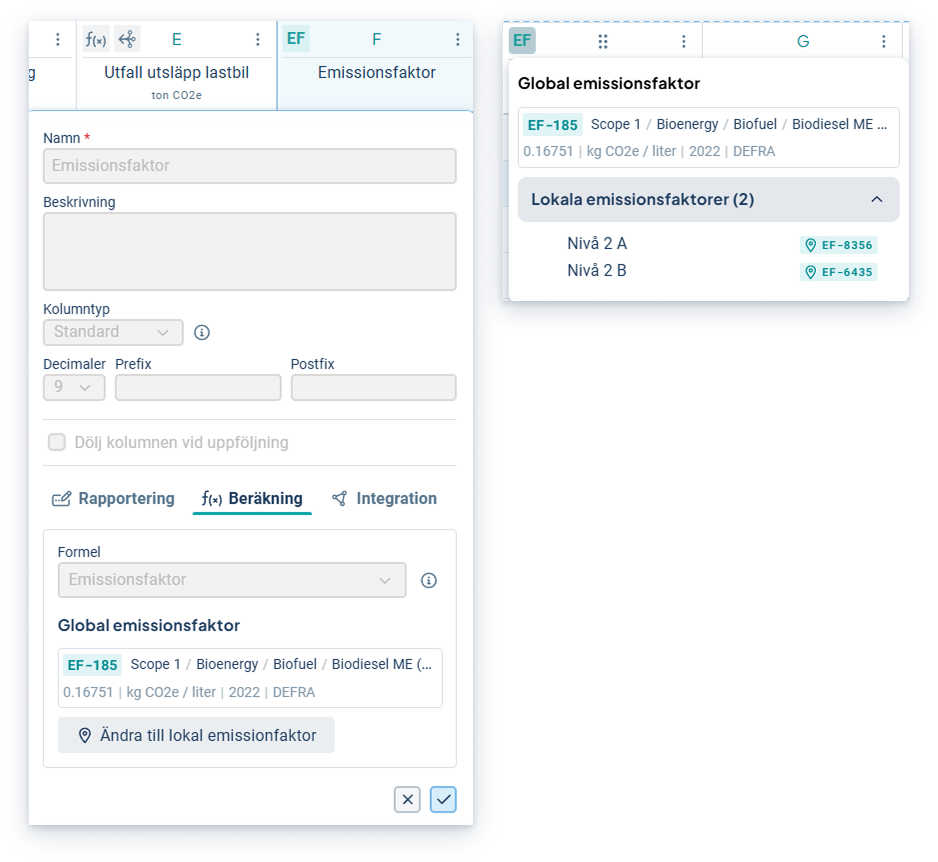
Activation: Add a local emission factor directly to the selected department. A global factor needs to be selected on the main department for the KPI.
Please note! When changing to a local emission factor on existing KPIs, it is important to review how the consolidation of data is done. Feel free to contact Stratsys if help is needed.
Easier to control when emission factors start to apply
It is now easier to specify from which period an emission factor should apply. When selecting the start period, existing factors from the selected period onwards are automatically overwritten, which applies to all updates of factors.
- Update emission factors backwards in time without manual clearing
- Reduce the risk of errors when updating existing factors
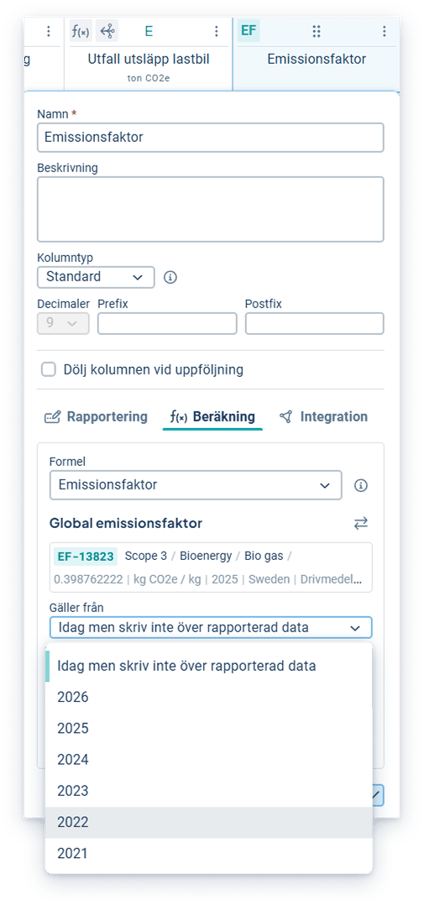
Activation: No configuration required - select start period when creating/updating emission factor.
Learn more about the object window - a guide!
A message now appears directly in the object draer with a link to a guide to help users get started more quickly.
- Let users get started faster with clear guidance right away
- The wizard is always accessible via the info icon at the top right
- Less need for external support on first use
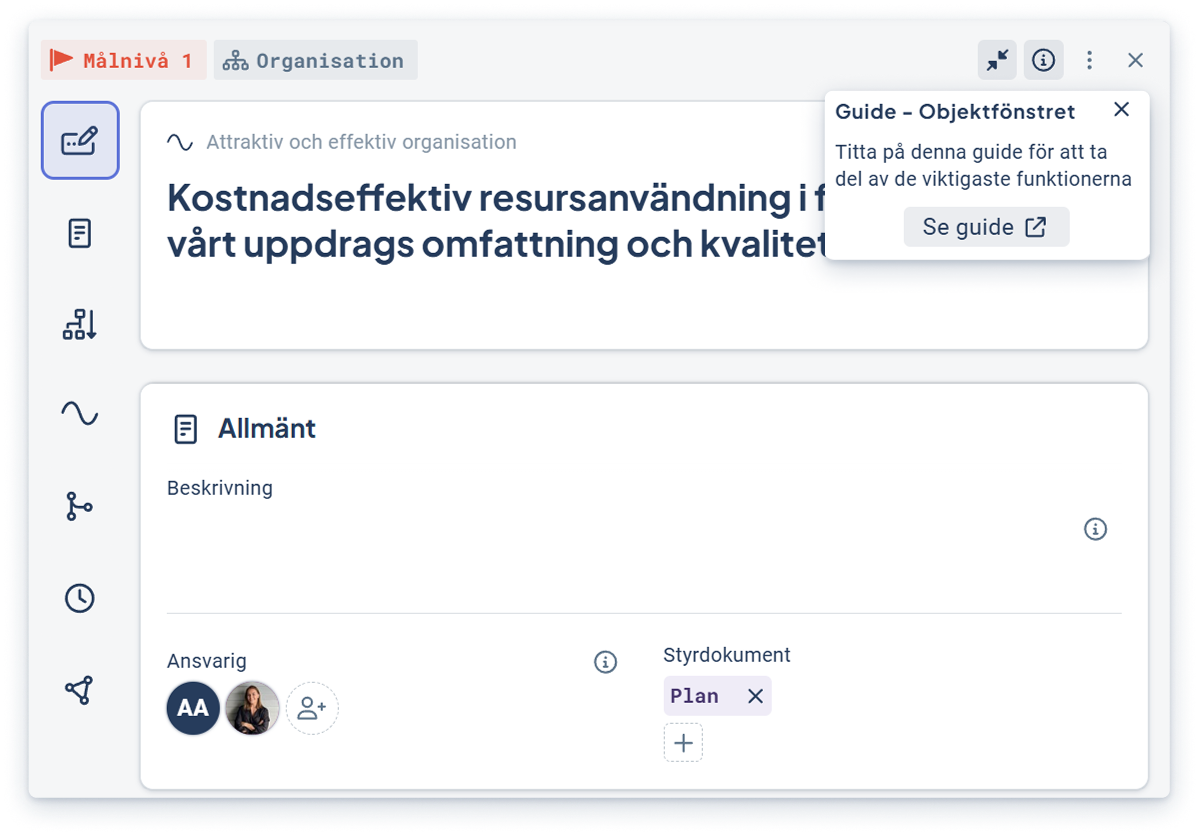
Displayed for all users whose language is Swedish.
Forms
This development is included in the Forms product license.
AI summary for faster analysis and follow-up
Get a clear picture of the current situation in seconds. With AI summaries in checklists, responsible managers can quickly compile and understand results, without manually going through all responses, comments and free text.
You get a clear and reliable overview of where there are discrepancies, an area's outcome (green/yellow/red) and whether actions are missing. The analysis is based on the checklist structure, outcomes, comments, free text and any associated risks and actions.
- Quick overview of deviations, causes and missing actions
- Better decision-making basis through coherent and filterable analysis per unit or responsibility
- Easier follow-up and reporting with ready-made summaries that are easy to use further
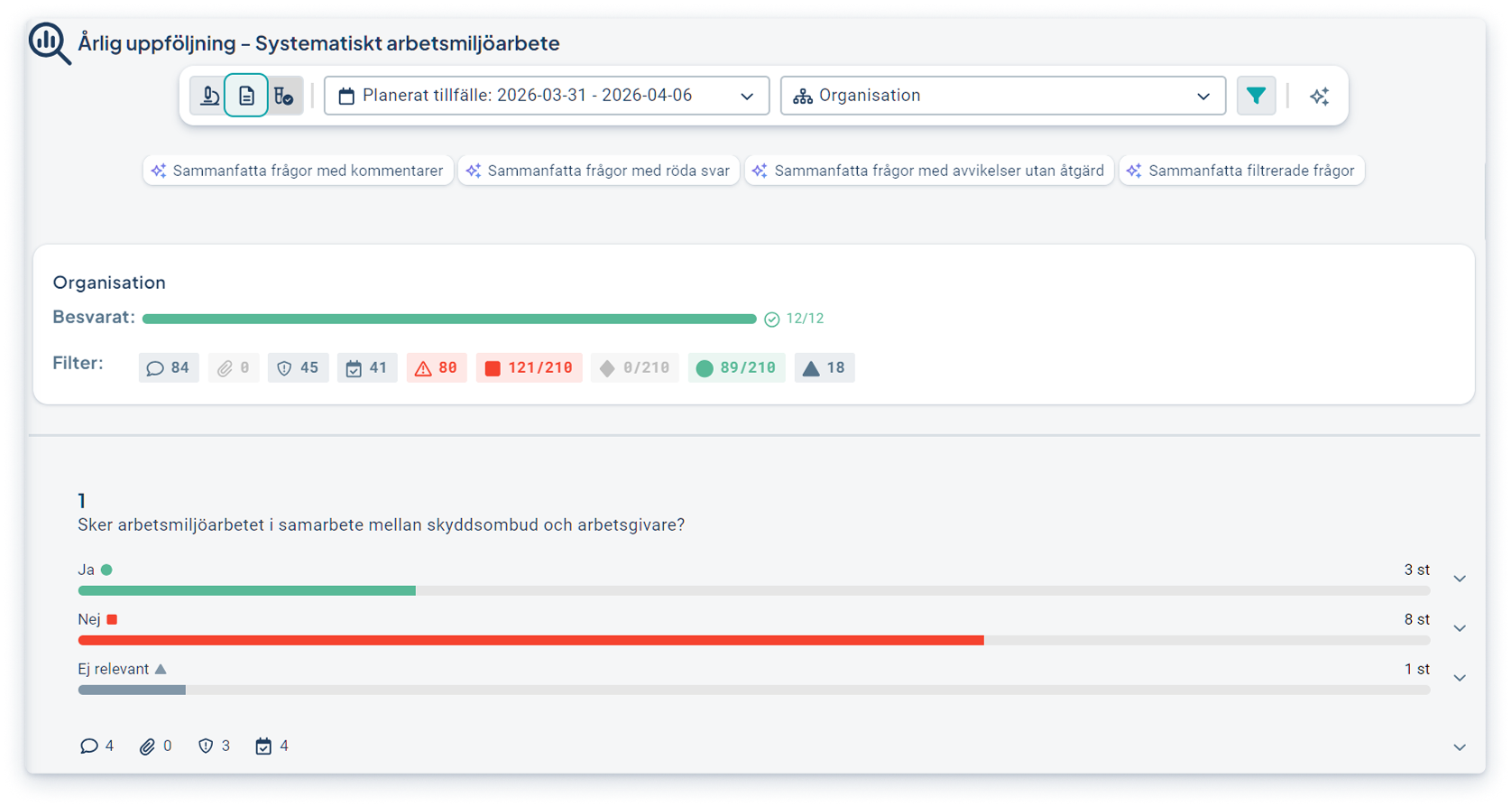
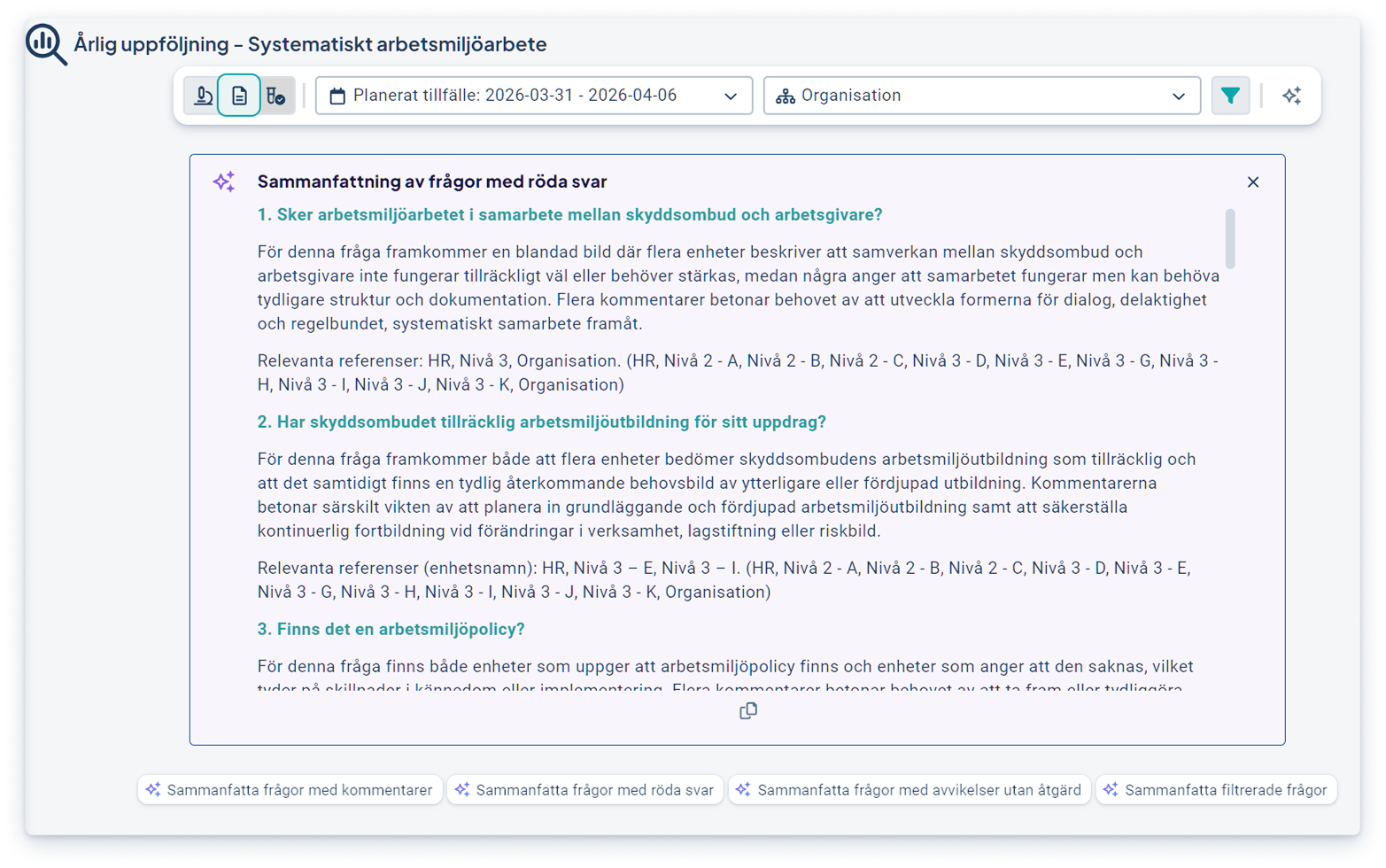
Activation: The feature requires an AI license and that the Summary capability is activated in the platform.
Due Diligence
This development is included in the Due Diligence product license.
Automatic reminders for CAR follow-up
It is now possible to set automatic reminders for CAR, making it easier to follow up on cases in a timely manner and reducing the risk of non-responses. All reminder settings are also gathered in one place for easier management.
- Ensure timely follow-up with automatic reminders based on customized intervals
- Get a clear overview of all reminders in a single view
- Keep existing SAQ reminders unchanged without affecting current settings
Activation: Go to Settings and the new Reminders tab on the far right. Activate automatic CAR reminders and select the desired interval.
Support for LEI numbers on the supplier card
It is now possible to register LEI numbers directly on the supplier card. This makes it easier to ensure correct identification of suppliers and complete information where organization numbers are missing.
- Ensure correct identification of suppliers with support for LEI numbers
- Complete supplier information in cases where organization numbers are missing
- Get more complete and reliable data for monitoring and reporting
Activation: No activation required. The LEI number field is available directly on the supplier card.