Read about the new features and improvements added to the Stratsys platform over the past month, and how they can help you improve your work and get even more value out of it.
Platform News
AI Analysis—Ability to include underlying data
This improvement is included in the AI license.
We’ve improved the AI analysis in the follow-up window. Previously, the analysis was based on the objects connected to, for example, the goal or KPI being analyzed.To make the analysis even more comprehensive, we've made it possible to include data from underlying departments for KPI's and actions (the consolidation table).
Now you can prompt yourself to efficiently include e.g. which departments that generate the most emissions, or have the lowest target achievement rates, in your analysis.
- More comprehensive analysis with the ability to include data from underlying departments
- Easier to understand and use, as more of the data presented can be included in the analysis
- Reduced need to adjust the prompt, as the most recent prompt remains until changed or next review
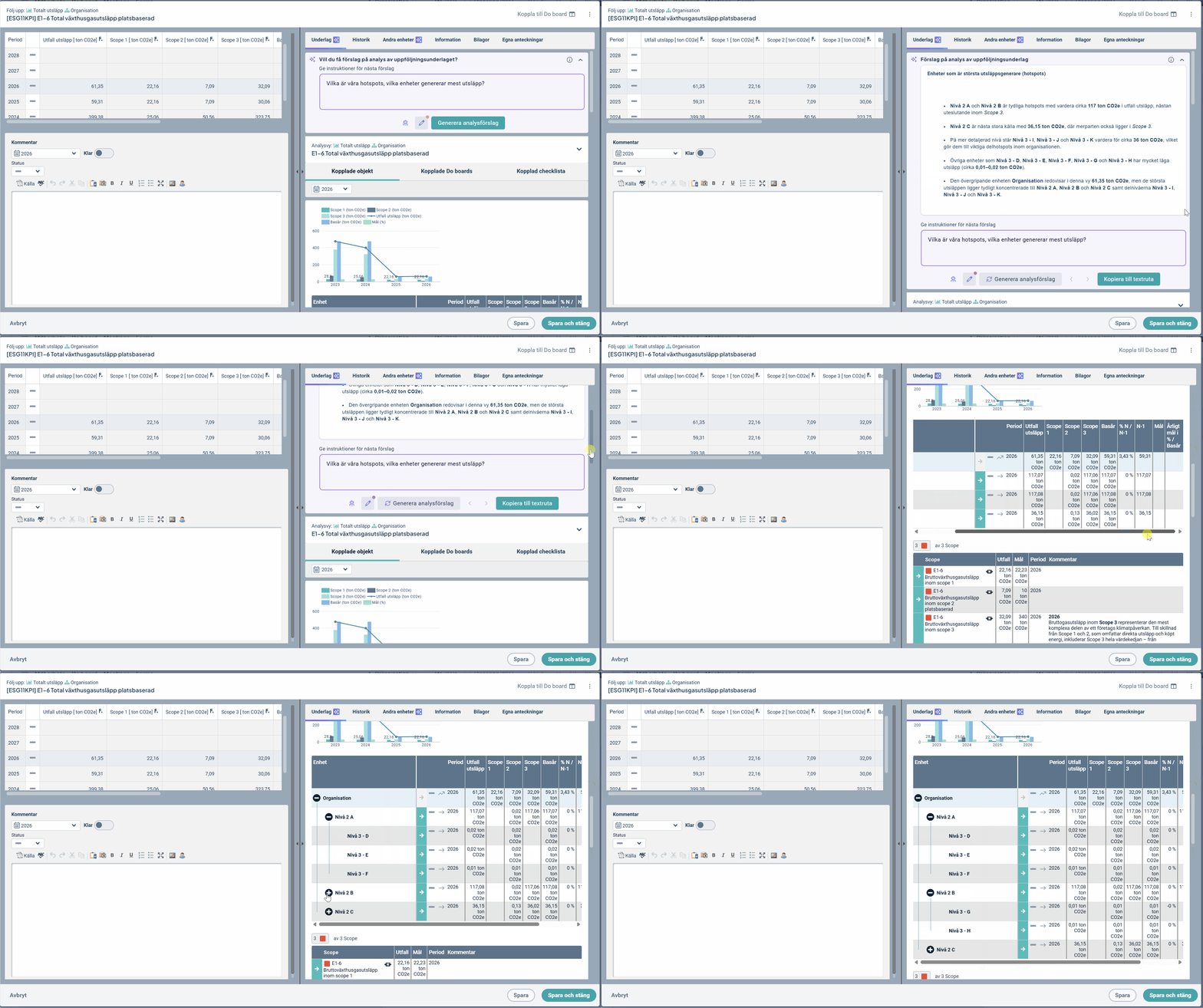
Just as with connected objects, the analysis is based on any comments, numerical data, and status/color visualized for the underlying departments.
Activation: This improvement applies automatically and is available to users with an AI license and the "Analysis" capability enabled.
Comments—Increased Management and Control
This feature will be released on June 30.
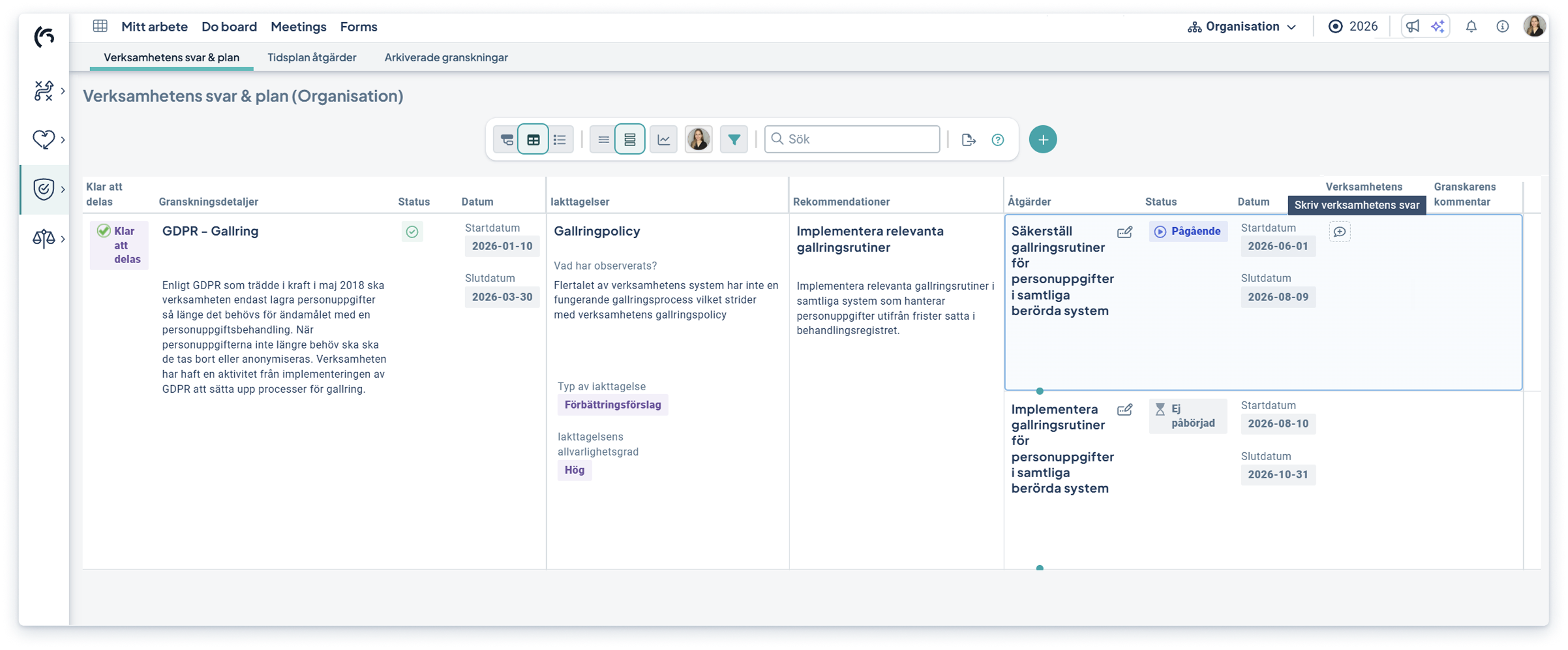
It is now possible to control which users can write specific types of comments. This solution provides better control and more robust management over who can add and edit comments, while still allowing the information to remain visible to other users.
This feature is particularly useful when multiple roles—including review and control functions—are working on the same object, such as during risk audit or follow-up, to keep the audit assessment separate from the organization’s assessment.
- Easier and more robust enforcement of different roles’ comment responsibilities throughout the product flow
- Reduces the risk of comments being modified by users who are not responsible for them
- Better support for organizations with clear demands for accountability, follow-up, and access control
.png?width=420&height=440&name=Group%20633166%20(1).png)
Activation: The feature is activated by a full administrator in relevant permission groups and responsibility roles respectively. The settings affects the entire product flow—from to-do list, via workspaces to reports.
New Workspace and Object Drawer
These updates are included in product license.
Here, we share the major updates and improvements that are continuously being added to the workspace and object drawer. These features are available in all products. Contact your Account manager to get started!
Easier planning and collaboration with 'draft'
This feature will be released after the summer.
Last month, we released the first part—enhanced risk management—within the brand-new feature area of Dynamic workflows. After the summer break, we’ll launch the possibility to save objects as drafts.
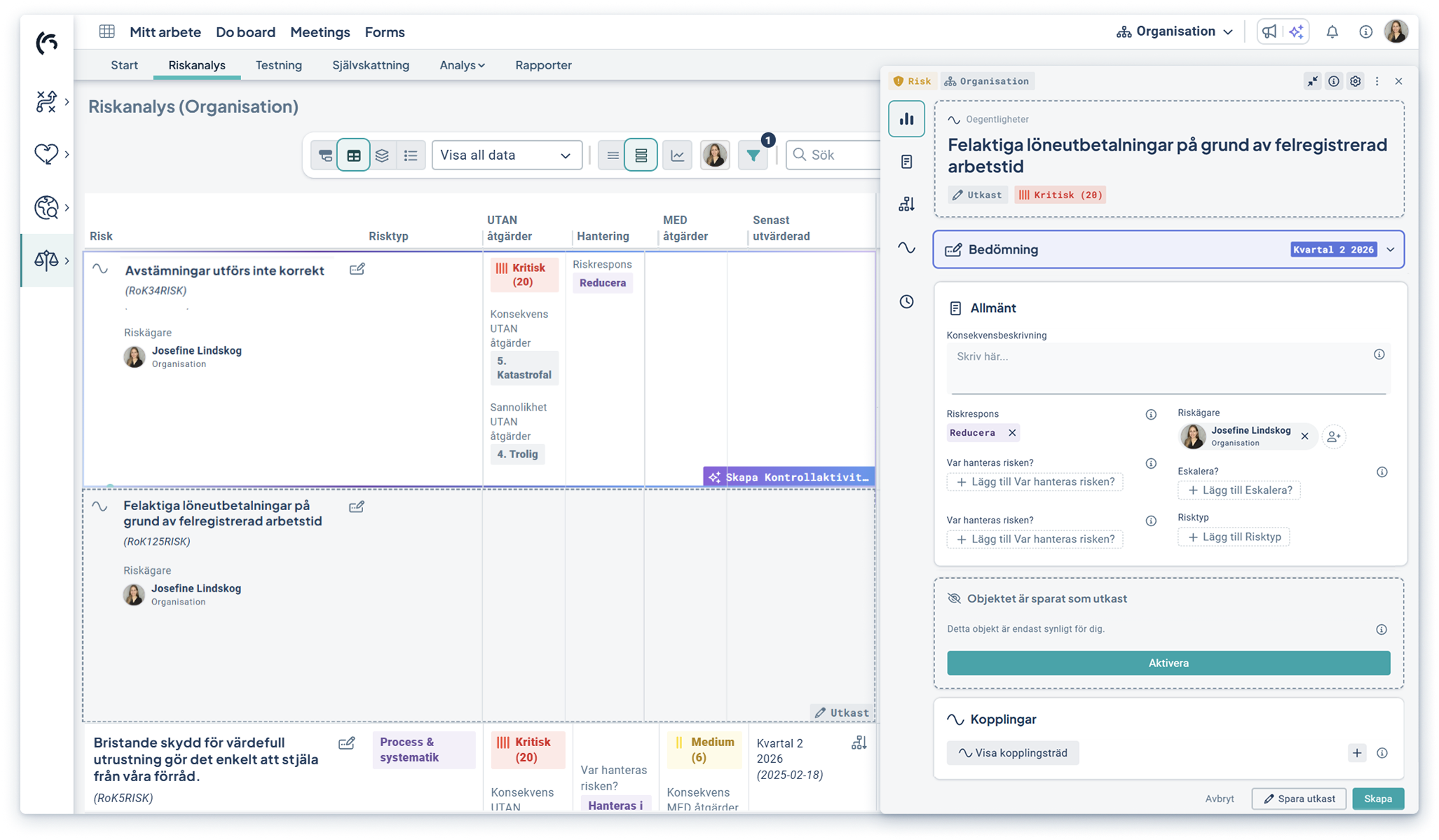
By saving an object as a draft, users will be able to collaborate more effectively with selected individuals and choose when, for example, a risk or activity is ready to be shared with the rest of the organization. This creates a clearer workflow, lowers the barrier to enter data and strengthens collaboration opportunities.
- Clearer workflow and lower barrier to entry—Save ideas or information that hasn’t yet been finalized as drafts
- Increased collaboration—Share your draft with selected colleagues and finalize together
- Efficient search—easily filter all your drafts to edit them or make them active
Getting Started: Drafts will be released after the summer break and will not require any activation. All users with the permission to create and edit objects will be able to create drafts.
Workspace—Support for Visualizations in List Mode
Visualizations are now also presented in List Mode for the selected column. This makes it possible to combine the list’s details with a clear visual overview—for example, the risk list with the matrix overview.
- Provides a better overview of selected data
- Makes it easier to work with both the details and the overview of specific content
- More consistent workflow and predictability for users
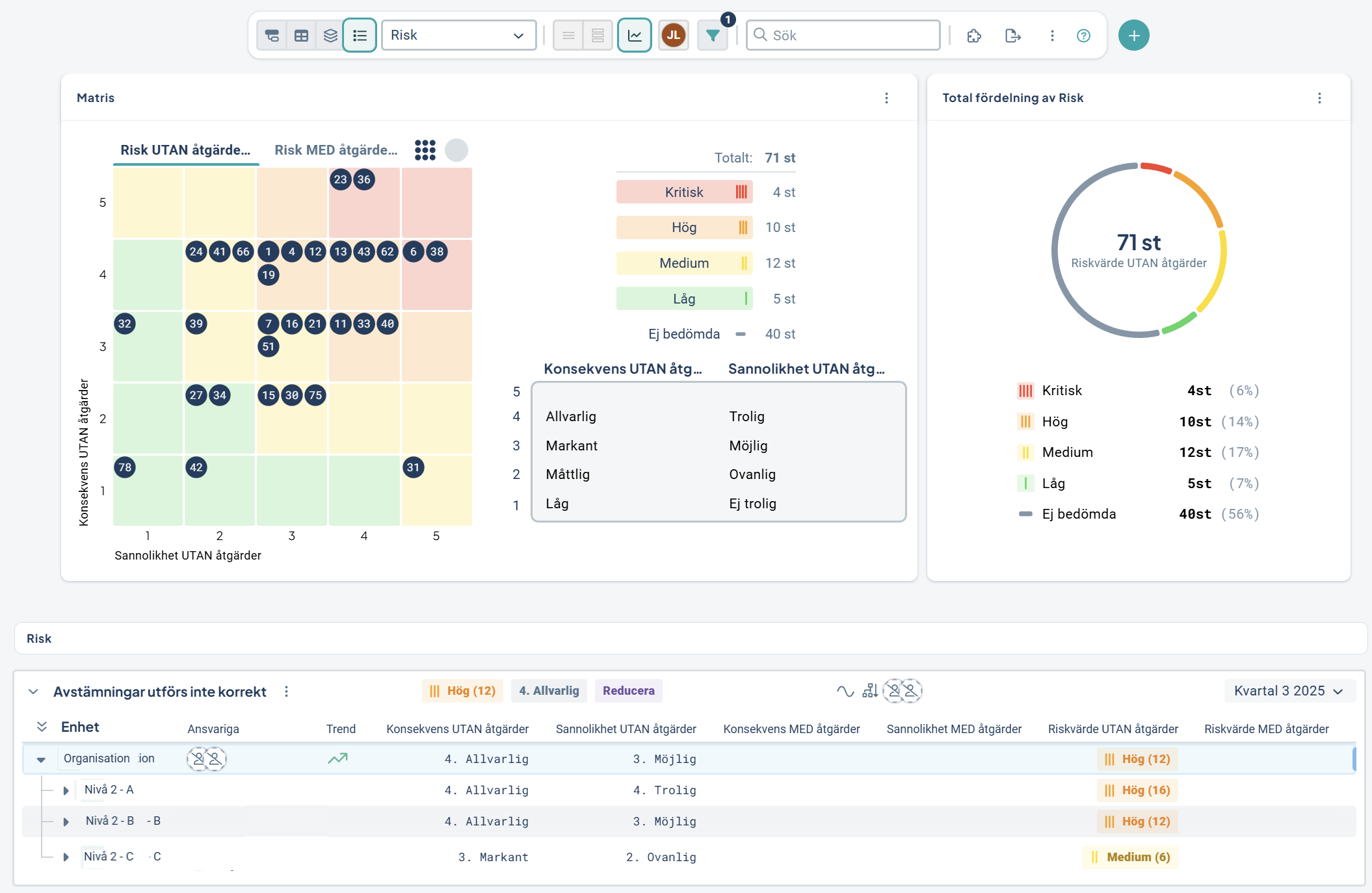
Activation: No activation required. The improvement is automatically available in list mode if the workspace contains a risk matrix, total distribution, or Forms gadget.
Workspace—select list mode as default
It is now possible to select list mode as the default view mode in the workspace, which means users will always land in that mode at the start of each new user session.
This allows for better customization of the workspace to match users’ intended workflows and provides easy access and immediate focus on relevant content.
- Reduces the need for manual navigation when users open a workspace
- Makes it easier to customize workspaces to match preferred work styles
- Provides a more efficient starting point for users working with, for example, risks, KPI's, or activities
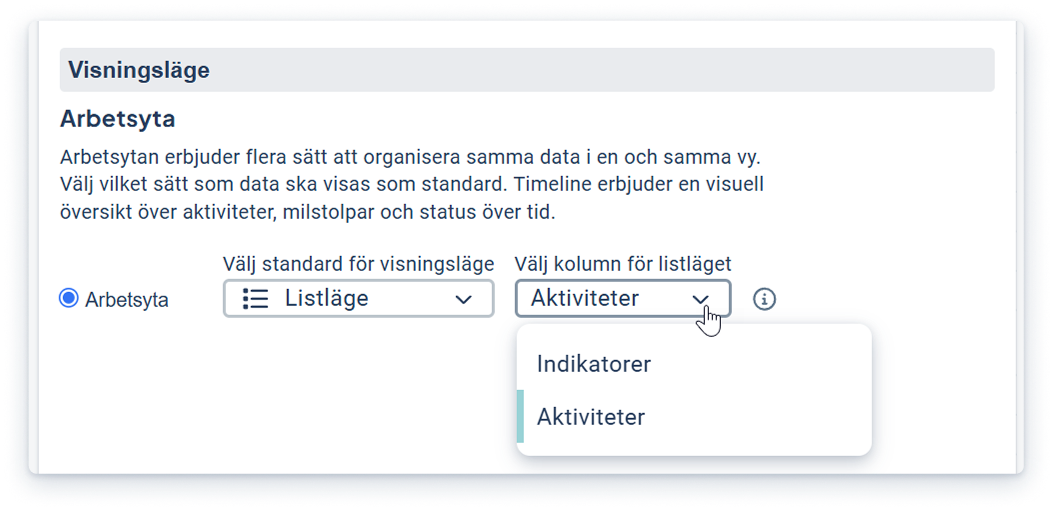
Activation: List mode as default can be configured by a full administrator. This is done by selecting the list mode and the column that users should be directed to first.
Workspace—select overview mode as default
This improvement will be released in July or August.
Soon, it will also be possible to select overview mode as the default view mode in the workspace, which—just like list mode—means that users will always land in overview mode at the start of each new user session.
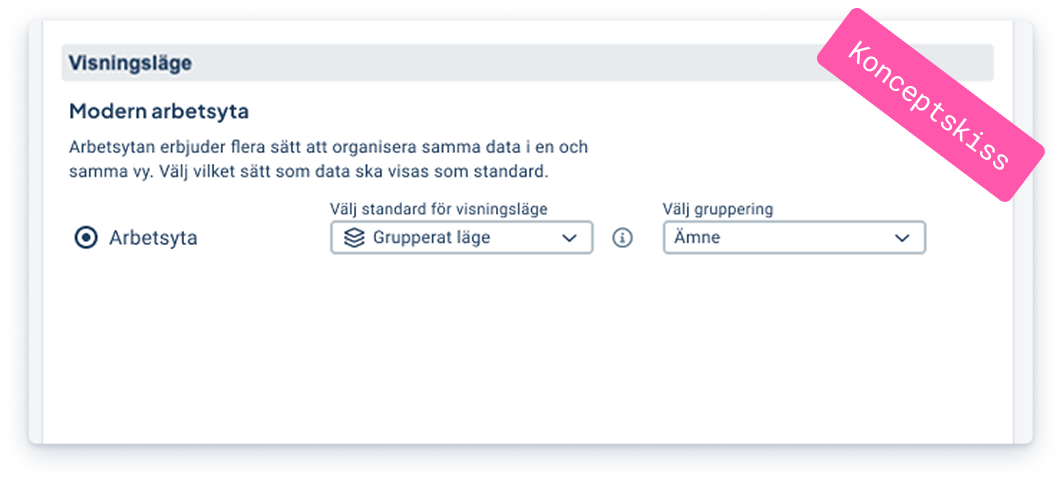
Activation: Overview mode as default can be configured by a full administrator. This is done by selecting overview mode and, if applicable, the grouping that users should be directed to first.
Sustainability—More Stable Emissions Calculations
These improvements will be released in August.
In August, we’re launching improvements to how emissions data is calculated and aggregated using measurement relationships. The update is based on feedback from customers who use measurement relationships to aggregate emissions from multiple activities and compile emissions, e.g. by scope.
These improvements ensure that calculations are handled more consistently and reliably, reducing the risk that calculations are affected by connections between different governance models and plans.
- More accurate and consistent emissions calculations.
- More stable results with reduced impact from connections between different models and plans.
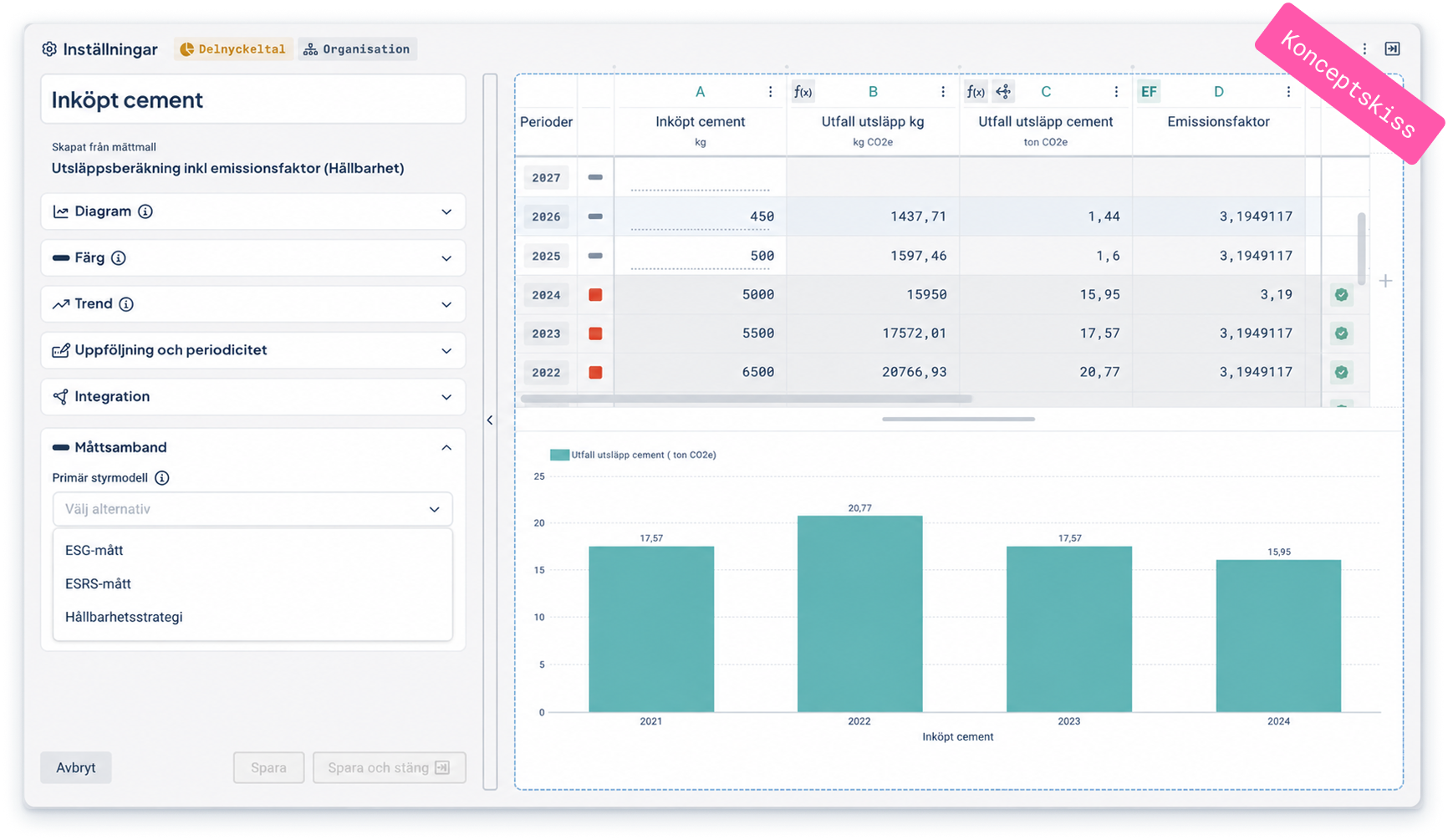
Activation: These improvements will be activated automatically with the August release. No action is required.
Forms
This development is included in the product license.
Forms - Export checklist results to Excel
Soon, it will be possible to export results from a checklist in Forms directly to Excel. Before exporting, users can filter the results by e.g. selecting which departments to include.
The Excel export reflects the applied filters and provides a clean dataset for further processing, analysis, and follow-up.
- Facilitates further analysis of checklist results in Excel
- Saves time since the export is based on pre-set filters
- Provides a clear foundation where questions, answers, comments, risks, and actions are presented in a structured manner
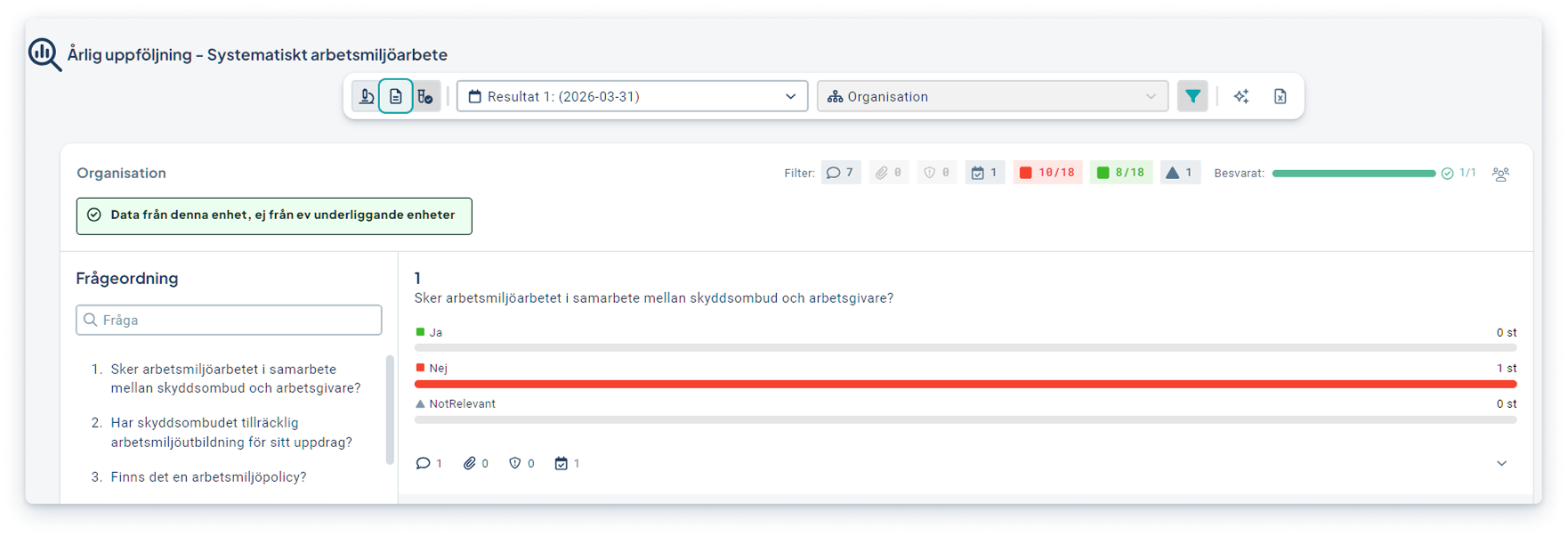
Activation: The feature is directly available on the results page in Forms to the right of the AI icon and requires no activation. Once the feature is released, all users will be able to filter and export the results.
Reports - Greater control over result display
This feature will be released in July.
Soon, it will be easier for you to automatically retrieve the right information from Forms for your reports. By selecting a specific checklist, the time period to display, and whether to show aggregated results for the entire checklist or per question, you’ll gain better control over report content and reduce the need for manual processing.
-
Easier to create reports with the correct Forms results from the desired checklist and time period
-
Reduces manual work by automatically importing checklist responses into the report
- Better overview since questions can be displayed even when answers are missing, with empty result fields
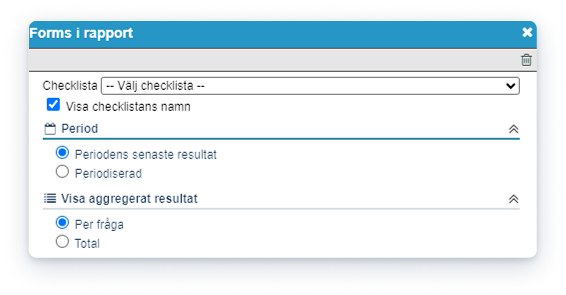
Activation: The feature is activated by a full administrator in the properties of the report column where Forms results are used. There, you can also select the checklist, period, and whether to display questions without submitted responses..
Due Diligence
This development is included in the Due Diligence product license.
Products and Services—Filter Directly in Columns
It is now possible to filter information directly in the product and service columns. With the new column filters, you can quickly narrow down the content and focus on the information most relevant to your work.
- Find the right products, services, and related information faster
- Reduce the time spent sifting through irrelevant results
- Get a clearer and more personalized view based on your needs
%201-1.png?width=1236&height=832&name=bild%20(26)%201-1.png)
Activation: This feature is enabled for all customers and is available directly in Products and Services.