![Stratsys-logo-deep-blue.png]](https://www.stratsys.com/hs-fs/hubfs/Stratsys%20Logos/Stratsys-logo-deep-blue.png?height=27&name=Stratsys-logo-deep-blue.png)
You can use report categories to arrange your reports on the Reports page.
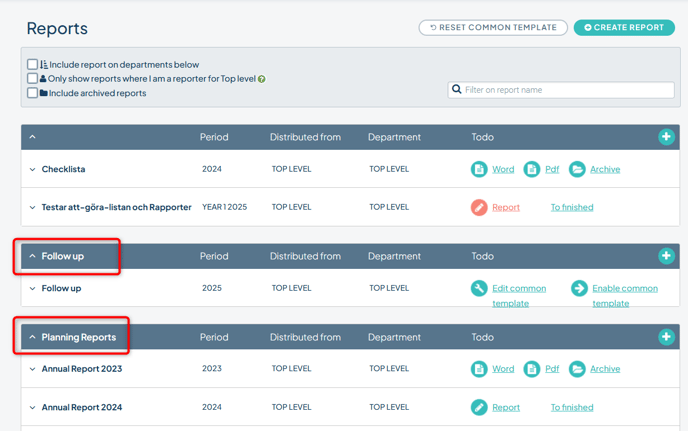
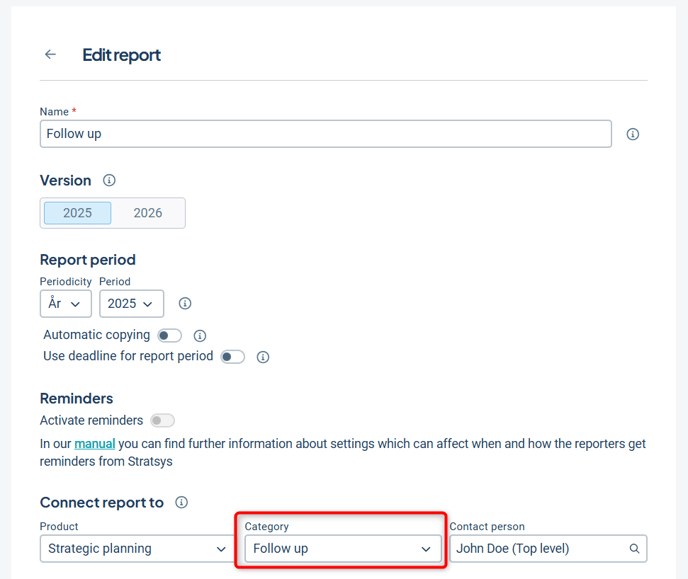
You choose the category for the report in the report settings, and it will then appear un the choosen category on the Reports page.
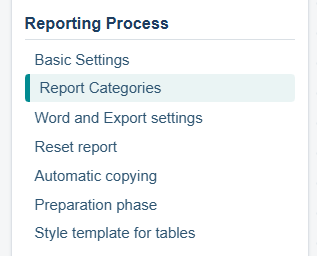
Manage the report categories in the administration menu "Report categories" under "Reporting process".
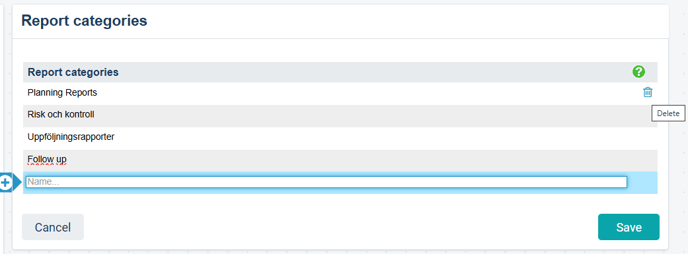
- To add a new report category, enter a name in the last row and save.
- To change the name, click the namn and enter the wanted name. Save.
- To delete a category, point the mouse on the row until the trash can appears. Click on the trash can. Confirm deletion and save.
Note! You cannot delete a category if it is used by an existing report. To delete it, first assign the reports to a new category. Observe that archives reports also need to be updated.